
See and fix a tab's MCP servers
Type /mcp on a Claude, Codex, Devin or Muse tab and a sheet lists the MCP servers that
tab's agent can use, with each one's state. Log in to a server, reconnect it,
turn it off or on, or remove it from the sheet, and ask the agent to add one. Copilot tabs do not offer /mcp yet. A Muse tab offers only log in and log out; see Limits.
Why you would use it
A tool the agent should have is missing, or the agent says a server failed. On a
phone you cannot open the CLI's own /mcp screen. This sheet shows the same
list and puts the fix on each row.
How to use it
On a Claude, Codex, Devin or Muse tab, type
/mcpin the box (#draft) and send it. The sheet (#mcp) opens and readsLoading…until the computer answers.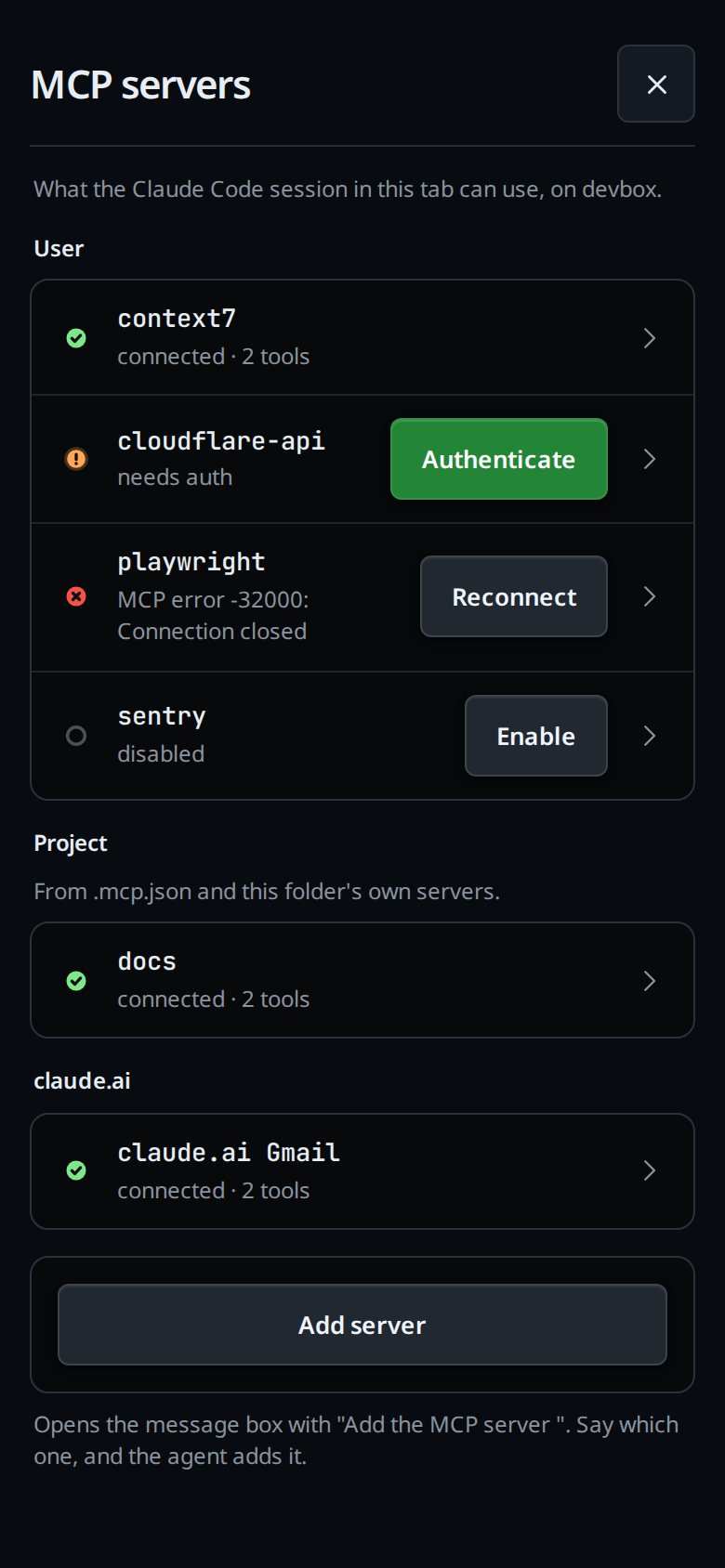
A row that needs something carries its fix on the right: Authenticate, Reconnect, Enable or Connect. Tap it.
Tap a row to open it in place. It shows the server's command or URL, its tool names, and Reconnect, Disable and Remove. Tap the row again to close it.
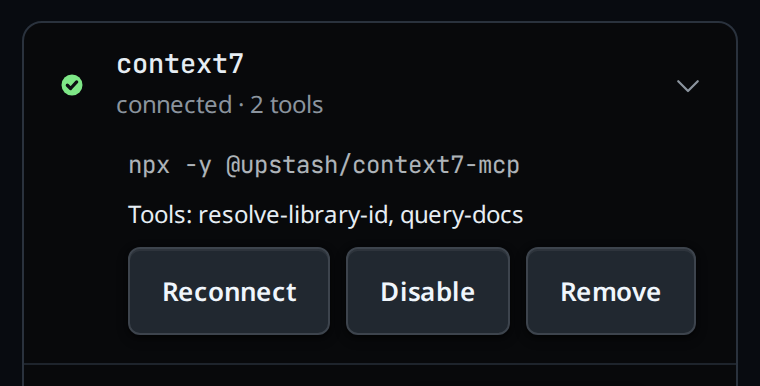
Remove asks first: the button turns to
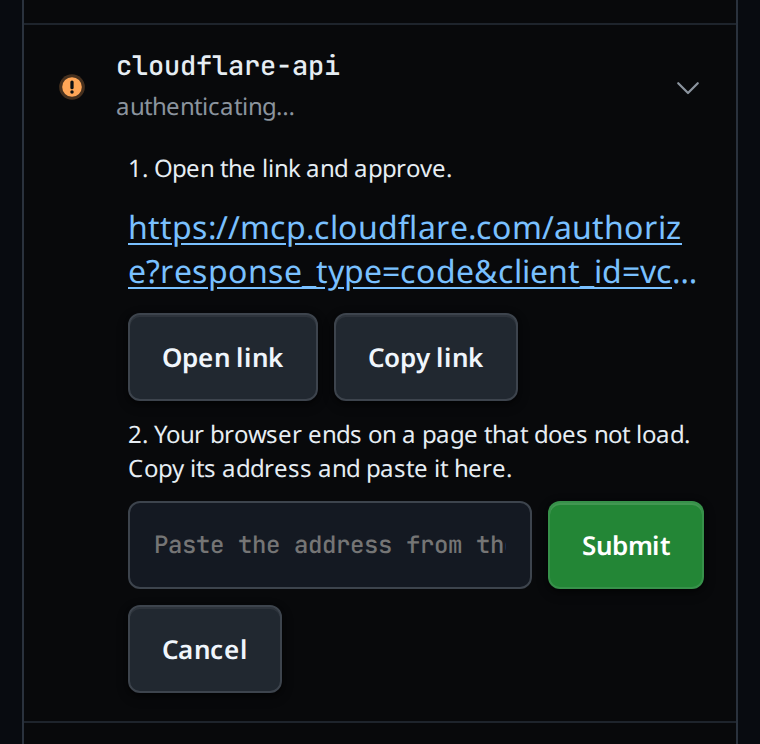
Tap again to removefor 3 seconds. Tap it again in that time to remove the server.To log in, tap Authenticate. The row opens the login steps:
1. Open the link and approve.Tap Open link (or Copy link) and approve on the server's page.2. Your browser ends on a page that does not load. Copy its address and paste it here.Copy thelocalhostaddress from the browser's address bar, paste it into the box (Paste the address from the browser) and tap Submit.
Cancel closes the steps.
To add a server, tap Add server (
#mcp-add). The sheet closes and the box readsAdd the MCP server. Finish the sentence with the server you want and send it; the agent adds it with its own CLI.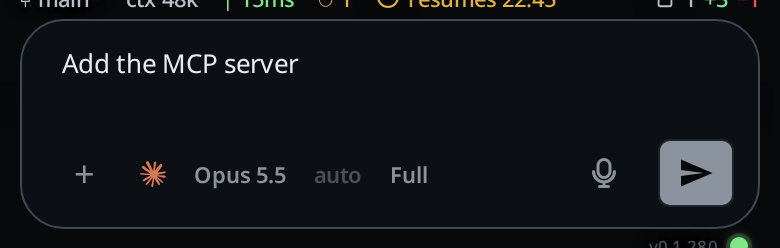
Close the sheet with the close button (
#mcp-close) or Escape.
What you see
- The line under the title:
What the Claude Code session in this tab can use, on <computer>.(Codexon a Codex tab,Devinon a Devin tab,Museon a Muse tab). - Groups, in this order, each shown only when it has a server: User,
Project (
From .mcp.json and this folder's own servers.; on a Codex tabFrom this project's .codex/config.toml.), claude.ai, Plugins, Other. - Each row: a status mark, the server's name and a note.
| State | Mark | Note | Button on the row |
|---|---|---|---|
| connected | green tick | connected · 2 tools |
none |
| needs auth | amber | needs auth |
Authenticate |
| failed | red | the agent's error, or failed to start |
Reconnect |
| disabled | grey ring | disabled |
Enable |
| connecting | grey ring | connecting… |
none |
| not loaded | grey ring | not loaded |
Connect |
- While a row's login steps are open its note reads
authenticating…, andStarting the login…shows until the server's link arrives. - A server still connecting is asked about again every 2 seconds, five times at
most, so
connecting…turns into its real state on its own. - After a pasted address is taken: the toast
<name> logged in, and the list again. - A tab whose agent has no servers:
This tab's session has no MCP servers. - An open row with nothing to show or do:
Nothing to change for this server. - Add server over a draft you already wrote leaves it alone and shows
finish or clear the current draft first. - The computer's refusals show as a toast in its own words, for example
That is not the address the login sent you to,Start the login again: tap AuthenticateorMCP servers are listed on claude, codex, devin and muse tabs only.
Limits and known gaps
- Claude, Codex, Devin and Muse tabs only. On an opencode or Cursor tab,
/mcpis not a VCode command and goes to the agent as a message. - The sheet lists what the tab's running agent sees. Opening it on a tab with no agent running starts one, as a message would.
- Claude loads the servers in a project's
.mcp.jsonwithout asking. VCode shows them under Project and asks you nothing either. - A server removed on a Claude tab stays loaded in the running agent until it restarts; the sheet leaves it out once it is gone from the config files. On a Codex tab, Remove also reloads the servers, so the server goes at once.
- Codex has no reconnect for one server: Reconnect and Connect on a Codex tab reload every server. Disable and Enable reload them too.
- Disable and Enable are saved in the agent's own config, so other sessions of that agent on the same computer see the change.
- A server on claude.ai or from a plugin has no Remove, and neither has a
Codex server from a project's
.codex/config.toml:codex mcp removeedits only your own config. - A computer on a VCode from before
/mcpanswersthis box runs a VCode too old for /mcp; it gets it with its next update. - A login waits 15 minutes for the pasted address; after that, tap Authenticate again.
- On a Devin tab the list is
devin mcp list, and a row's state is what the session reports as it loads. Devin reports no tool list, so a connected row showsconnectedand no tool names. - On a Devin tab, Disable, Enable and Remove work only for a server in
Devin's own config:
~/.config/devin/mcp_config.json,.devin/mcp_config.jsonor.devin/mcp_config.local.json. Any other server is refused with<name> is not in Devin's own MCP config, so Devin cannot turn it off; change it where it is configured, and its row has no Remove. - On a Devin tab, Reconnect reloads the session. While a turn runs the refusal
reads
devin reconnects its MCP servers by loading the session again; wait for the turn to end. - On a Muse tab a row offers Authenticate when it needs a login and Log out when it is logged in. Reconnect, Disable, Enable and Remove are not offered, because Muse's protocol cannot change its servers.
- On a Devin tab, the login hands you the link
devin mcp loginprints. The pasted address is checked the same way as on a Codex tab. A login that prints no link within 20 seconds fails. - Codex runs its login listener on the computer itself, so the step that ends on
a page that does not load is the same on both agents: the phone's browser
cannot reach that computer's
localhost, and the pasted address carries the answer there. - A server added with Add server shows up once the agent has added and loaded
it; on Claude, a server added from a terminal while the tab runs reads
not loadeduntil you tap Connect.
Related
- log-in-to-an-agent: log the agent itself in from the phone
- slash-menu:
/mcpis one of VCode's commands - vendor-slash-commands: the CLI commands VCode answers with a note instead
- the-three-agents: which agents a tab can run
- devin: the Devin differences in full
- muse: the Muse differences in full