
Language servers in the editor
While a TypeScript, JavaScript, Python, Go or Rust file is open in the editor, the box runs that language's server for it. The server adds its suggestions to the editor's own, and in every language but Python it colours the code the way VS Code does. A server that is not on the box is offered once, with one tap to install it.
Why you would use it
The editor's own suggestions know the words in the file and the language's keywords. A language server knows the project: the fields of a type defined in another file, a function's parameters, what a module exports. Its colours tell a parameter from a local variable and a constant from a property, as they look on your desktop.
How to use it
Open a file in the editor. The box starts the server for it. Nothing waits for the server: the editor's own suggestions and colours show at once, and the server's arrive when it has them.
Type. The server's suggestions join the list as you type, after a
.too. Pick one as you pick any suggestion: tap it on a phone, Enter or Tab with a mouse.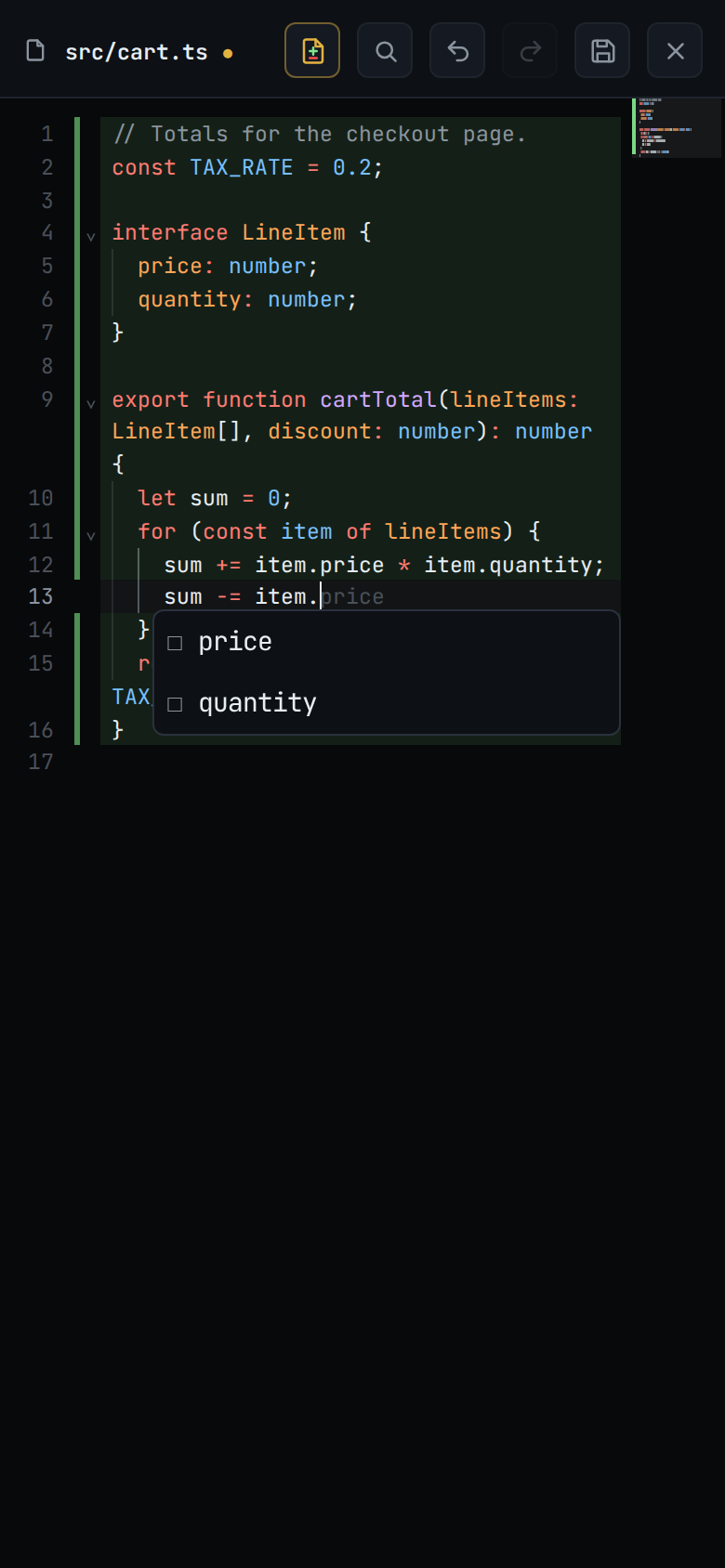
When you stop typing, the server's colours are drawn over the editor's. In TypeScript a parameter such as
discountturns orange where it is used, not only where it is declared.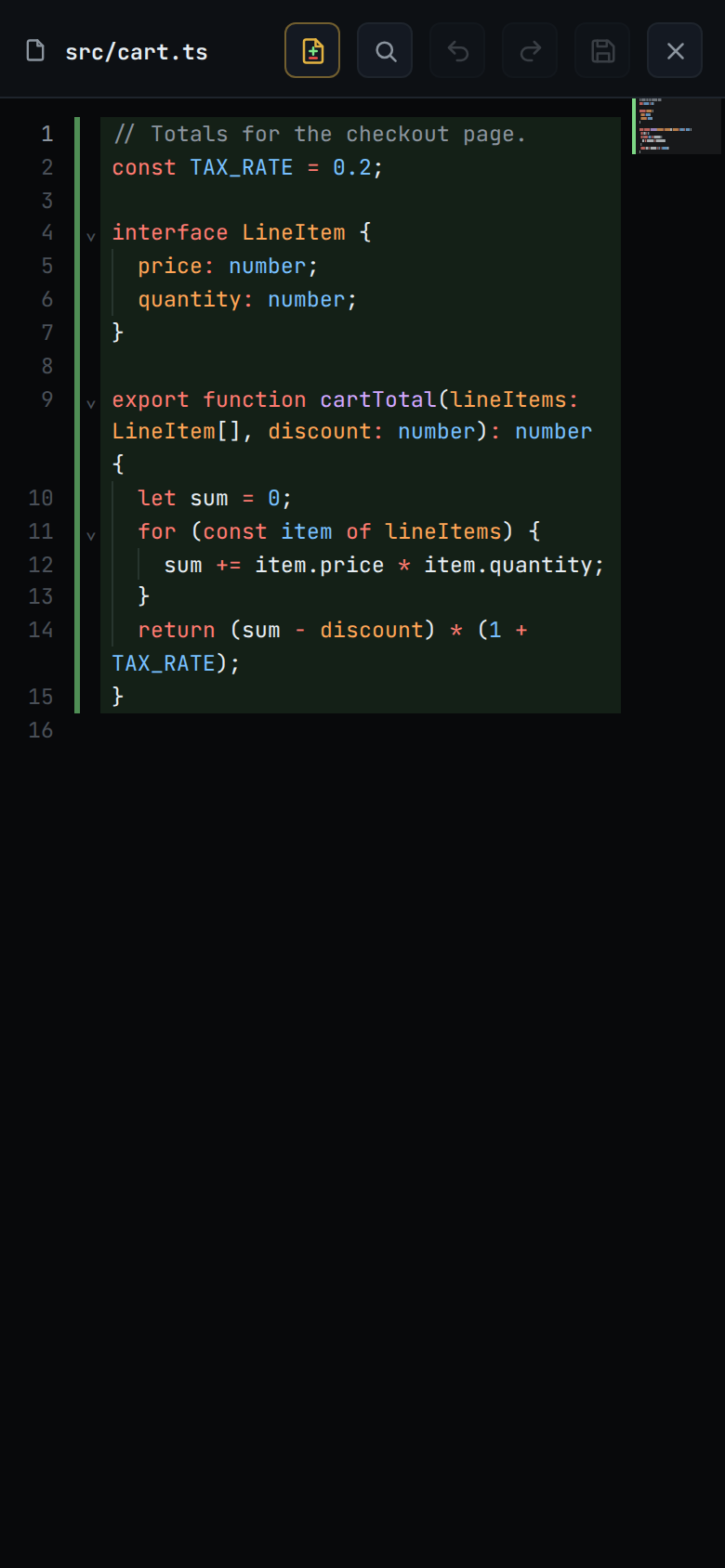
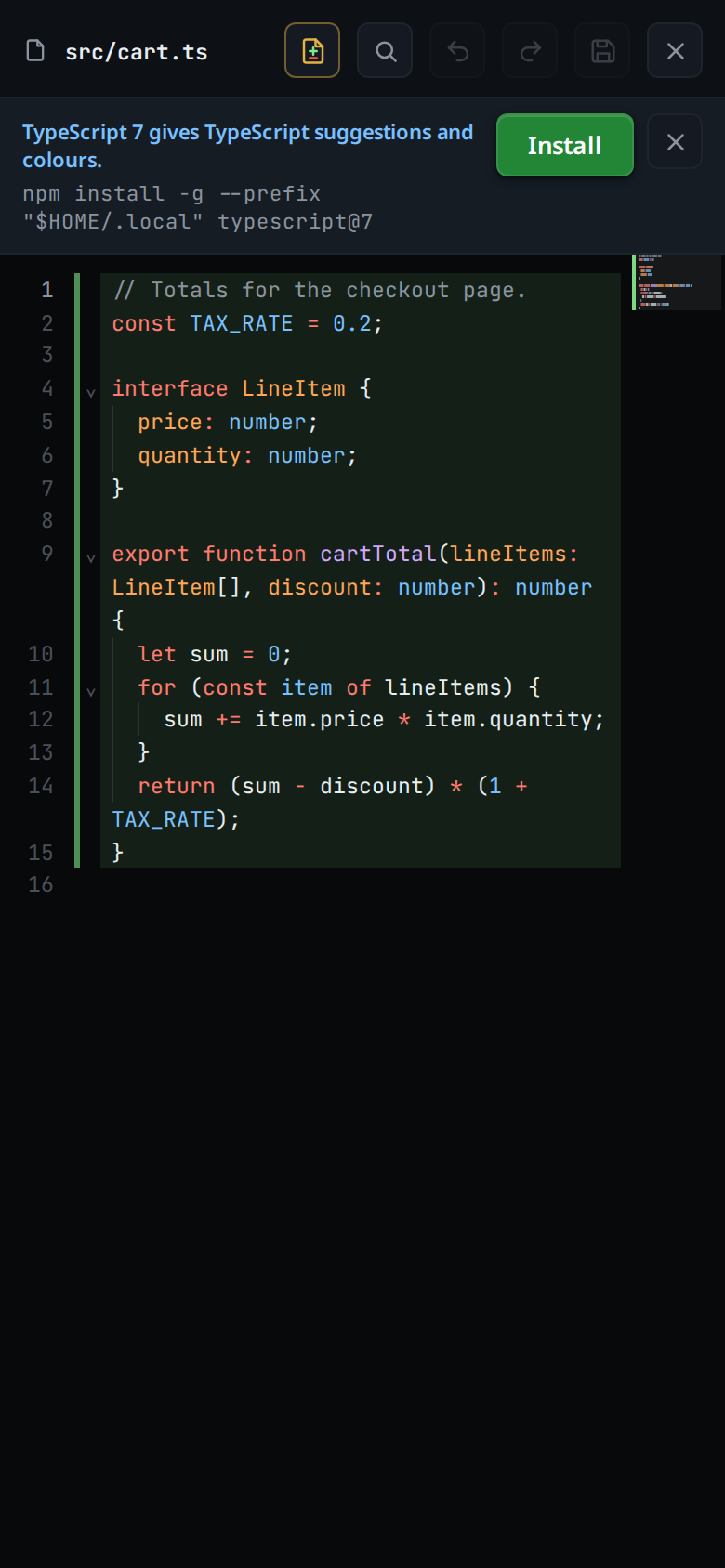
If the box does not have the server, a strip under the viewer head (
#viewer-lsp) offers it, for exampleTypeScript 7 gives TypeScript suggestions and colours., with the command it runs under the words (#viewer-lsp-command).- Tap Install (
#viewer-lsp-install). The strip shows the last line the install printed, about once a second. When it is done the strip goes and the server starts for the open file. - Or tap close (
#viewer-lsp-close). The offer for that server is not shown again on this device. TypeScript 7 covers JavaScript too, so closing its offer on a.tsfile also hides it on.jsfiles.
- Tap Install (
What you see
The strip (#viewer-lsp, its words in #viewer-lsp-text) shows one of these,
or nothing:
| When | The strip reads | Buttons |
|---|---|---|
| The server is not installed | <server> gives <language> suggestions and colours. (pyright gives Python suggestions. for Python), the install command under it |
Install, close |
| Installing | The last line of the install's output, installing… before the first |
none |
| The install failed | The install's last line of output, install exited with code 1, install timed out; try again, or the box's refusal, such as TypeScript 7 is already installed |
close |
| The box lacks the tool the install needs | The box's words, such as rust-analyzer needs rustup, which this box does not have |
close |
| The server stopped too often | <server> stopped 4 times in 10 minutes; it may start again once the first of those is 10 minutes old |
close |
Nothing shows for a file no server covers, for a server that is running or starting, and on a box from before language servers. Edit mode works the same in each of those, with the editor's own suggestions and colours.
The servers, by file type:
| Files | Server | Suggestions | Colours |
|---|---|---|---|
.ts .mts .cts .tsx .js .mjs .cjs .jsx |
TypeScript 7 | yes | yes |
.py .pyi |
pyright | yes | no |
.go |
gopls | yes | yes |
.rs |
rust-analyzer | yes | yes |
Options and settings
| Option | Default | What it changes |
|---|---|---|
| Idle stop | 10 minutes | A server none of whose files was edited or asked about for this long stops; the next edit starts it again |
| Servers at once | 4 | Starting a fifth stops the one used least recently |
| Closed offers | none | Each server whose offer you closed, kept on this device. Closing TypeScript 7's offer hides it for JavaScript files too, which it also covers. Clearing the site's data brings the offers back |
Limits and known gaps
- Completion and colours only. Errors, hover and go to definition are not there yet.
- Python gets suggestions only: pyright gives no colours.
- Install runs the server vendor's own install command, as you, on the box. TypeScript 7 and pyright install with npm into your home folder, gopls with Go, and rust-analyzer with rustup. Without npm, Go or rustup there is nothing to install, and the strip says which one is missing. An install stops after 10 minutes.
- An older TypeScript (5 or 6) on the box does not count: TypeScript files offer TypeScript 7.
- A server that stops on its own is started again at the next file you open on it, at most 3 times in 10 minutes.
- Closing the strip after an install that failed, or on one of its messages, hides it for this file only.
- A language server reads the project, and some run its build tools to do it. Opening a file from a repository you do not trust in the editor can run that repository's code, as opening it in a trusted VS Code window would. See trust-model-and-security-headers.
- A server's suggestions that arrive after 1.5 seconds, and colours after 3, are dropped; the editor's own stay. Colours are asked for again for up to a minute after your last edit, so a server that takes a while to start still colours the file without a keystroke.
- A file whose text grows past 1 MB stops using its server until you open it again; the editor's own suggestions and colours stay.
Related
- edit-a-file: the editor the servers work in
- file-viewer: the sheet the strip sits in
- trust-model-and-security-headers: what edit mode lets a server run