
Choose how much of each step shows
The settings sheet sets how much of each step the agent takes shows in the transcript: thinking, tool calls, edits and system notes. Each can show in full, grouped with its neighbours, or not at all.
Why you would use it
A long turn fills the phone screen with command output and patches, and the reply you came for sits below all of it. Group tool calls and edits and each run of them is one row; open it to see the steps, and tap one when you want its output.
How to use it
Tap the cog (
#settings-open).Find the Transcript group (
#settings-stream). Each type is a row: its name on the left, a box showing its level on the right.Tap a box to open its list, and tap a level. The current level has a green check. With a keyboard, the arrow keys,
HomeandEndmove through the list,EnterorSpacepicks, andEscapeshuts it. The boxes are:Thinking(#stream-thinking)Tool calls(#stream-tools)Edits(#stream-edits)System notes(#stream-system)
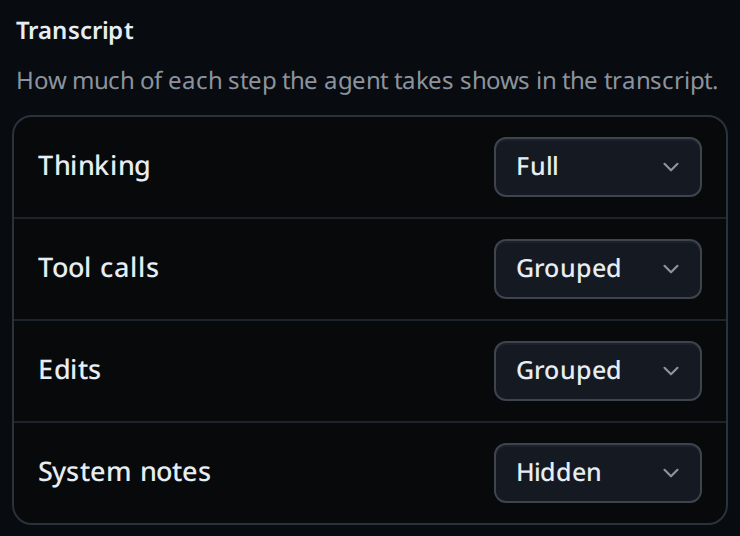
Close the sheet. The transcript redraws at the new level as soon as the pick saves, and so does every split pane.
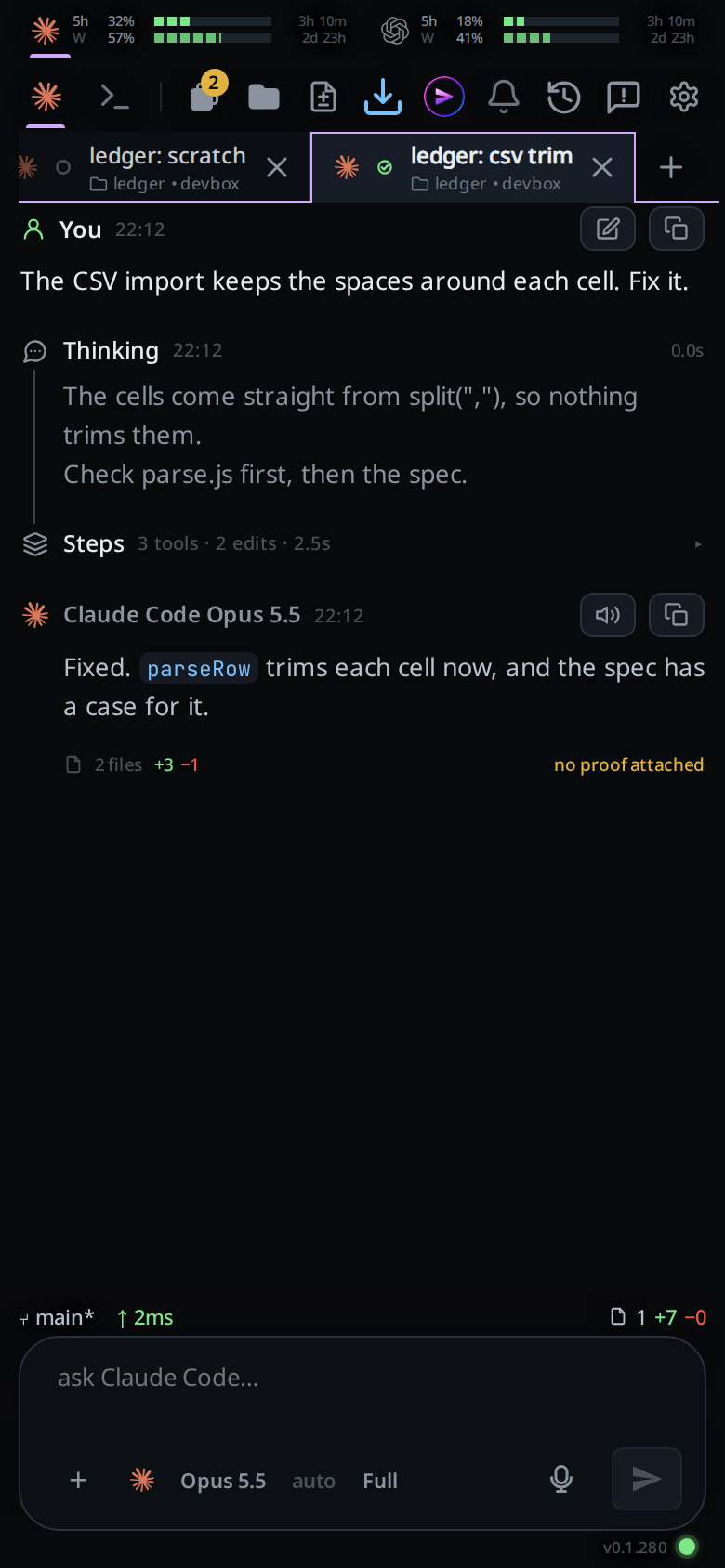
Tap a
STEPSrow to open it. Its steps show below it, indented, one line each. Tap the row again to fold them away.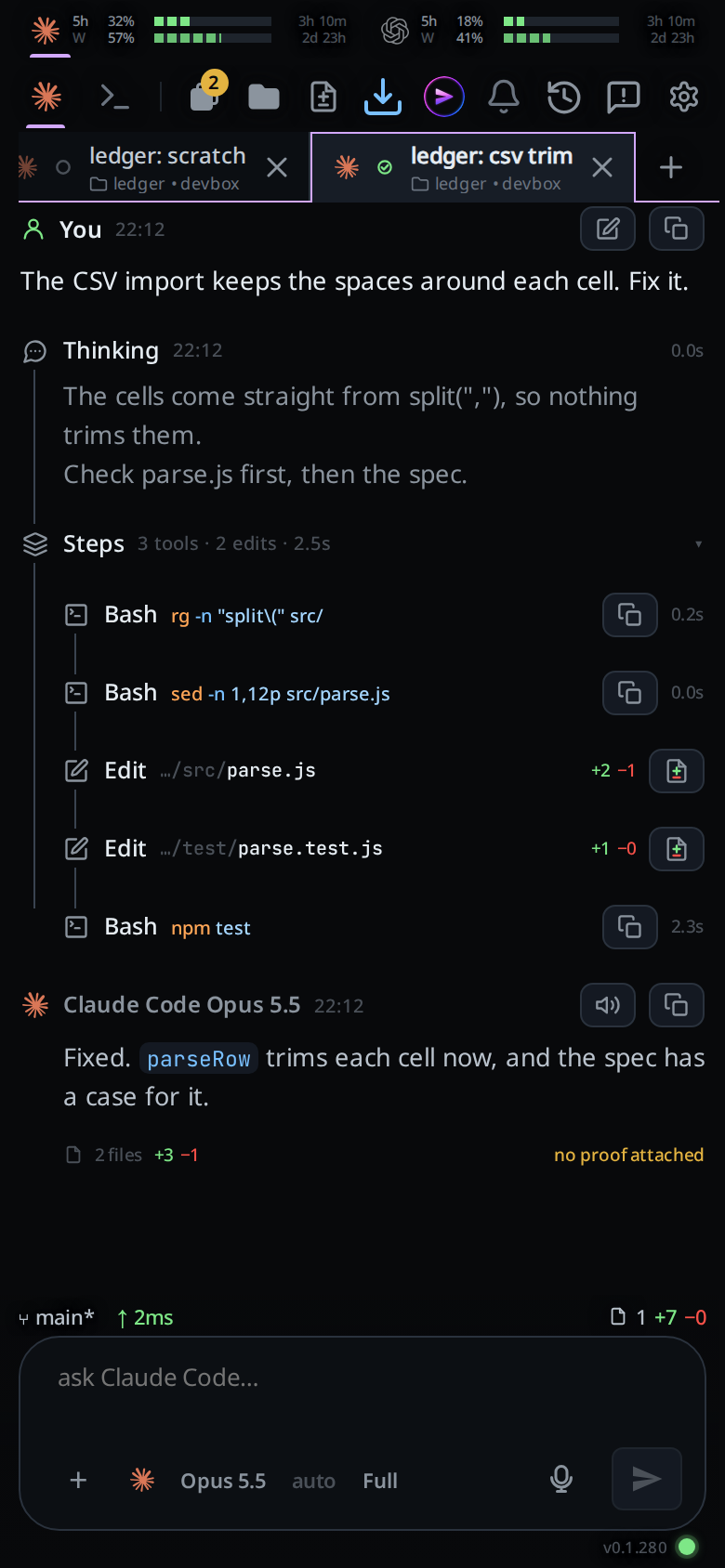
Tap a step's line to open it in full; tap it again to put it back on one line.
What you see
Each box offers three levels:
| Label | What the transcript shows |
|---|---|
Full |
the whole card, clamped when long, as it always was |
Grouped |
a run of steps in a row folds into one row that counts them and adds the time its steps took, e.g. STEPS 2 tools · 1 edit · 1 thinking · 48s |
Hidden |
nothing |
A run of grouped steps ends at any of your messages, any reply, or any step
shown in full. A hidden step does not end a run. Different types can share a
group when both are set to Grouped. A run of one step is a group row too.
The row's tag is the steps' own tag when they all share it: three Bash calls
make a Bash row, a run of thinking a Thinking row, each with that step's
icon. A row that mixes tags, say Bash and Read, or tools and thinking,
reads Steps, with a stack of layers for its icon.
After the tag the row counts each type in a fixed order: tools, edits,
thinking, system. The count is always written out: 1 tool, 3 tools,
1 edit, 1 thinking, 2 system. The time comes last: 0.2s to 9.9s with a
tenth, then whole seconds, then 1m 40s. While one of the row's tool calls is
still running, running stands in for the time: 2 tools · running. The row
never names the command. ▸ on the right means the row is folded; ▾ means it
is open.
A step lands at its level as soon as it arrives, while the turn is still
working: a grouped step joins its row and a hidden step never shows. The status
line at the bottom of a working turn reads Running bash or Thinking and
streams the command's output or the thinking text at every level. The word on
that line is grey, and a highlight in the spinner's colour sweeps across it,
leaving a pale trail that fades behind it: violet for Thinking, green for
Writing, blue for a running tool. Each sweep runs left to right, right to
left, top to bottom or diagonally, in an order that looks random. A failed tool
call follows its level like any other step.
A system note that is a warning always shows in full, whatever the level, and ends the run it sits in.
Your messages and the agent's replies always show in full.
While a save is on its way the right end of the group's title reads Saving…,
then a green check and Saved. A refused save puts the select back to what the
server holds and shows the error there in red and in a toast.
Options and settings
| Option | Default | What it changes |
|---|---|---|
Thinking (stream.thinking) |
Full |
Thinking cards |
Tool calls (stream.tools) |
Grouped |
tool cards: Bash, Read, Edit tool calls, Search and the rest |
Edits (stream.edits) |
Full |
the Edit cards with a patch and +N −N |
System notes (stream.system) |
Grouped |
Sys cards |
The values stored are full, group and hidden. A new box groups tool calls
and system notes, and shows thinking and edits in full. One line was a level before; a box
that had it set shows that type as Grouped.
Limits and known gaps
- The setting is the box's, in
settings.json, so every phone and browser signed in to it gets the same levels. Each browser also keeps the last levels it saw, so a thread opens at them straight away, and offline it uses them until the box answers again. - The history window counts rows at these levels, so a
STEPSrow counts as one toward the newest 120 a thread opens with. An open group still counts as one: its steps show with it and push nothing else out of the window. - The time on a group row adds up its tool calls and thinking, each counted from the end of the step before it. Edits and system notes carry no time of their own: an edit's time is on the tool call that made it.
Related
- read-the-transcript: the cards these levels apply to
- tab-colours: the Tabs group just above this one in the settings sheet
- toasts: where a refused save is reported