
Plan on one model, edit on another with Fusion
Fusion runs a Claude tab on two models: an orchestrator that talks with you, plans and reviews, and an executor that makes each code edit. You pick both, and the effort of each. A new pair starts as Opus at high and Haiku at high.
Why you would use it
You want a strong model deciding what to change and checking the result, but you do not want to pay its prices for every line it types. A cheaper model can make the change from a clear job, and the strong one reads what it did.
In a test with Opus 5.5 at high as the orchestrator and Haiku 5.5 at xhigh as the executor, against the same kind of work on Opus 5.5 at high alone. Fusion cost at least 25% less on average, and more on larger tasks, with comparable results to the orchestrator model on its own. A task of one small edit saves little.
How to use it
Tap the model button (
#modelpick) on a Claude tab.Tap Fusion in the switch over the list (
Single model|Fusion). The tab turns into a pair at once: your model stays the orchestrator, at its effort, with Haiku at high as the executor. A tab on no set model starts with Opus at high.Two slots show the pair: Orchestrator and Executor. The lit slot is the one the list fills;
Picking for Executorsays which. Tap a slot to light it, then tap a model in the list.The Effort slider under the slots sets the lit slot's effort.
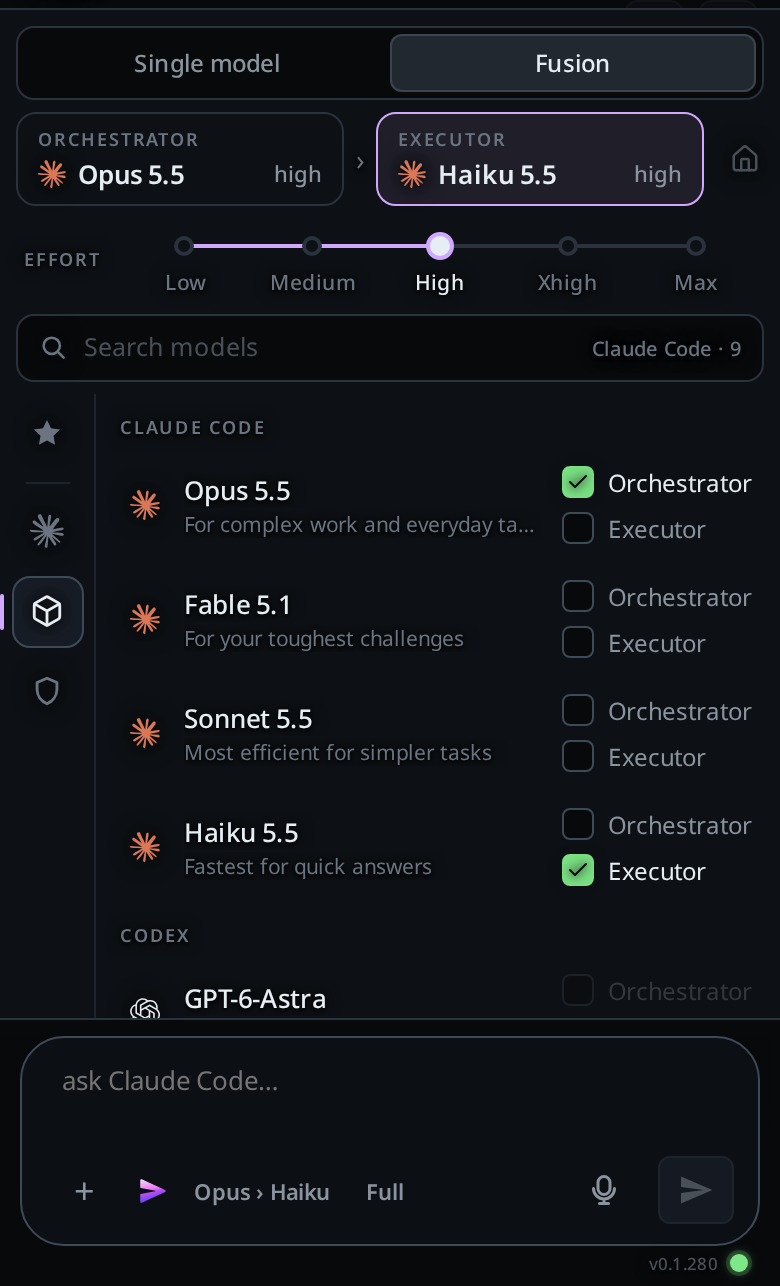
Send your message as usual. You talk to the orchestrator the whole time.
Tap Single model to go back to one model: the orchestrator, at its effort.
An agent can open one with v-code tab new --model fusion, which starts on
Opus at high and Haiku at high.
What you see
Both slots offer every model your Claude Code lists, older versions such as
claude-opus-4-8included. A model with no effort levels shows no slider and keeps the slot's effort, which Claude Code ignores for it.A slot names a full model id by its family and version,
Opus 4.8.The model key names the pair,
Opus › Haiku. Each reply card names the orchestrator, the model that wrote it:Claude Code Opus 5.5. The composer shows no effort key on a Fusion tab: each slot carries its own.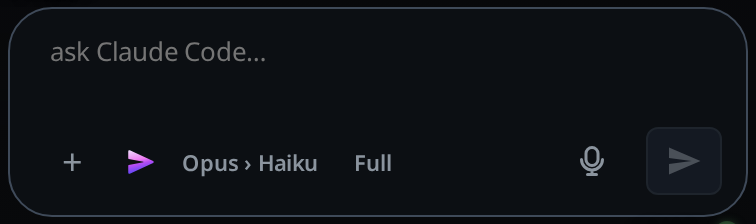
The house beside
Picking for …(aria-labelSet as default) makes the pair the default for new tabs. While a Fusion pair is the default, each pair or effort you set on a Fusion tab becomes the new default.The tab wears the VCode mark in the strip and the tab list, and the agent key beside the composer shows that mark alone; tap it to hand the tab to another agent as before.
Hover a slot or the Fusion switch for a tooltip:
- The Orchestrator slot: "Orchestrator: talks with you, reads the code and plans. It writes each change as a job for the executor, reviews the diff, and runs the full test suite before it calls the work done."
- The Executor slot: "Executor: makes one change at a time, exactly as the orchestrator wrote it, runs the check it names and reports back."
- The Fusion switch, and the agent key (
#agentpick) on a Fusion tab: "Fusion: two models in one tab. The orchestrator plans and reviews; the executor makes the edits. A strong model thinks while a cheaper one types." A phone shows no tooltips.
When the orchestrator hands over a job, the transcript shows a subagent card for
fusion-worker, with the job it wrote and the executor's report. While the executor works, the subagents strip shows it under the executor's model and effort,Haiku 5.5 High, withfusion-workerbeside it and its last steps.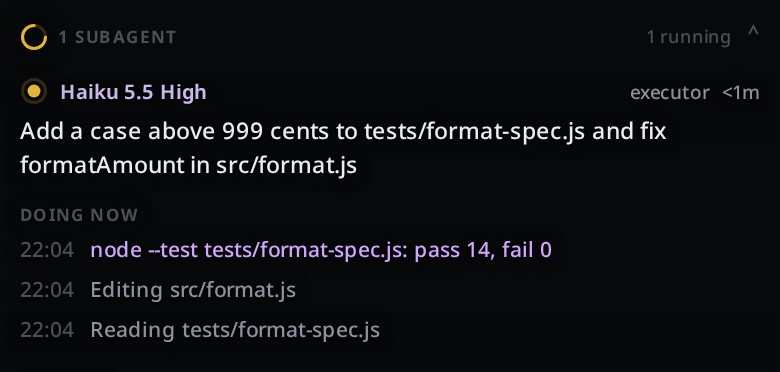
The orchestrator is instructed to read each diff and its test output, then accept the job or send the executor one list of fixes, and to make the change itself after two failed rounds on the same job.
It is instructed to run the full test suite before it calls the work done, and to say what the executor did and what it changed after review.
Limits and known gaps
- The orchestrator decides when to hand a job over. A small edit it may make itself.
- The executor runs as a Claude Code subagent.
Related
- switch-the-model: the list Fusion sits in
- set-the-effort: the effort key, which a Fusion tab hides
- permission-levels: a Fusion tab's executor runs under the tab's level, Auto included
- subagents-strip: where the executor's job shows while it runs