
Review a diff the way a pull request reads
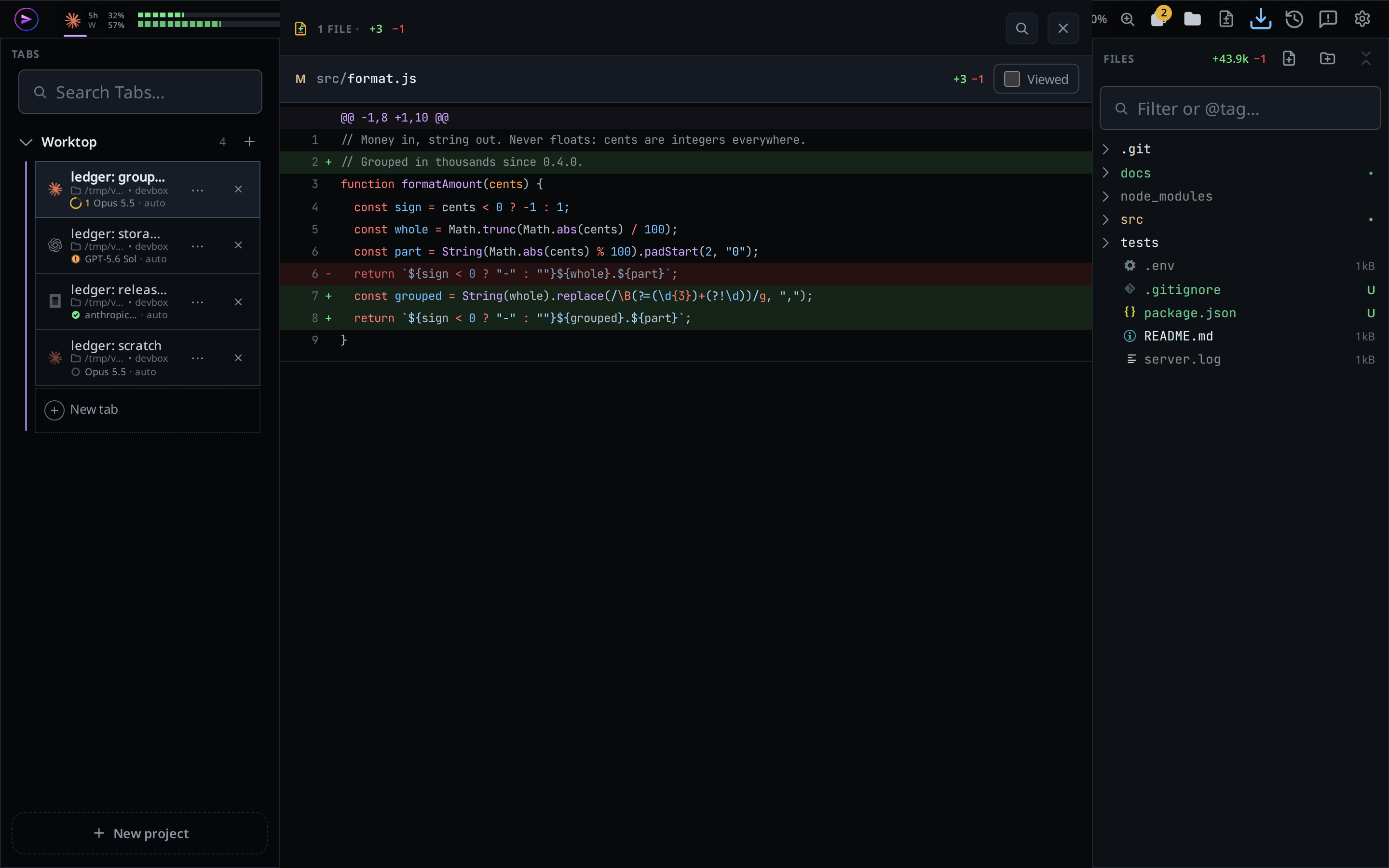
Every file a turn or a proof changed, in one scroll: the list of files on top, then each file's hunks under a header that stays in view. Mark a file Viewed to fold it away, find text across every file, and tap a line to comment on it.
Why you would use it
A turn changed four files and the transcript shows each edit as its own card. This is where you read the whole change in one place, the way you would read a pull request, and tell the agent what to fix without leaving the thread.
How to use it
Open it from any of these:
- the change segment at the right of the status bar: every file the session changed;
- the
<n> filesfooter under a turn's last reply (turn-changes); - the diff button ("Review the full diff") on an EDIT card or on the card of the tool that made the edit: the whole turn, scrolled to that card's file;
- the files line of a Proof section: the git diff the agent attached.
Read the head: the REVIEW tag,
<n> FILE ·or<n> FILES ·, and the totals+<added> −<removed>(#review-title,#review-plus,#review-minus).With two or more files, a list of them sits at the top. Tap a file to scroll to it.
Read each file under its header: git's letter (
M,A,D), the path relative to the thread's folder, its counts and a Viewed box. Several edits to one file are stacked, each after a line readingedit <n> of <m>.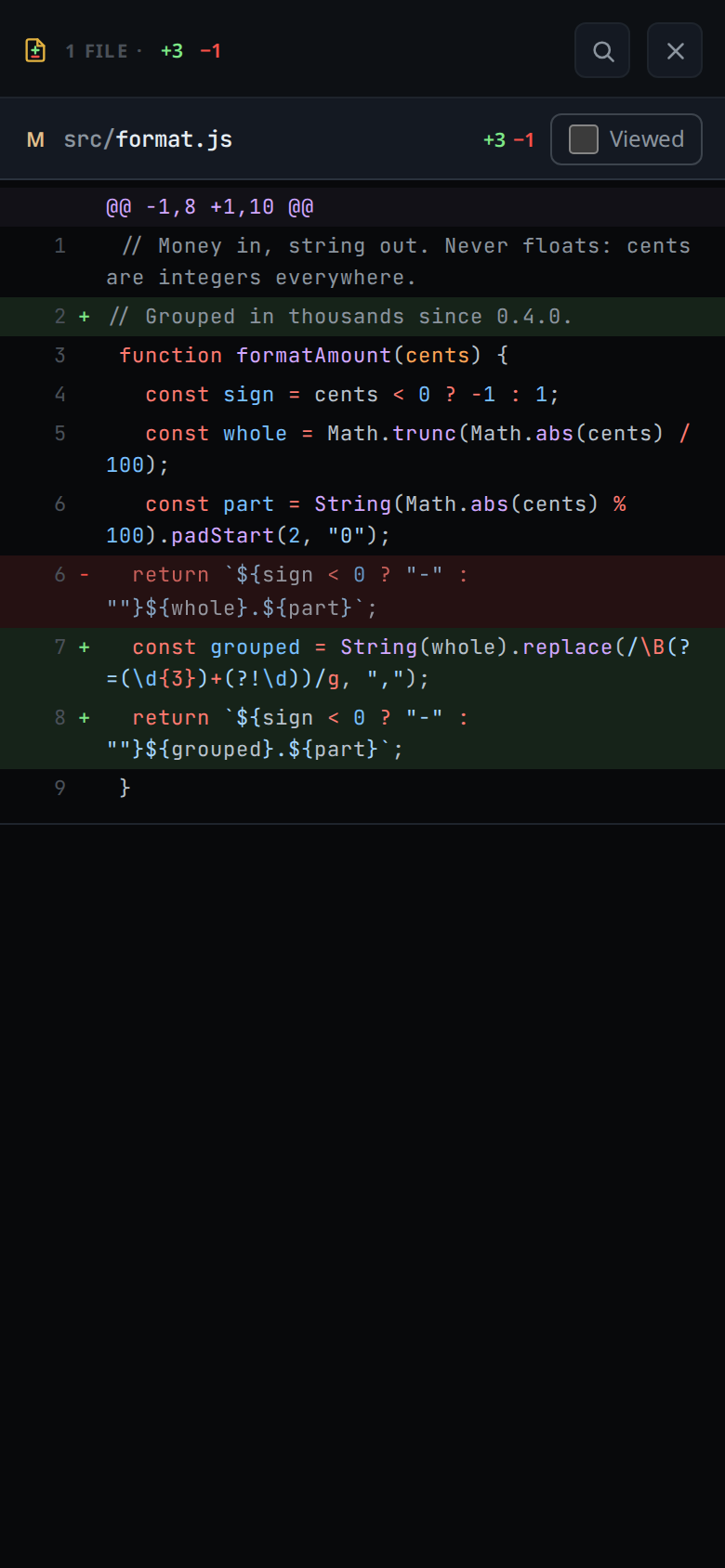
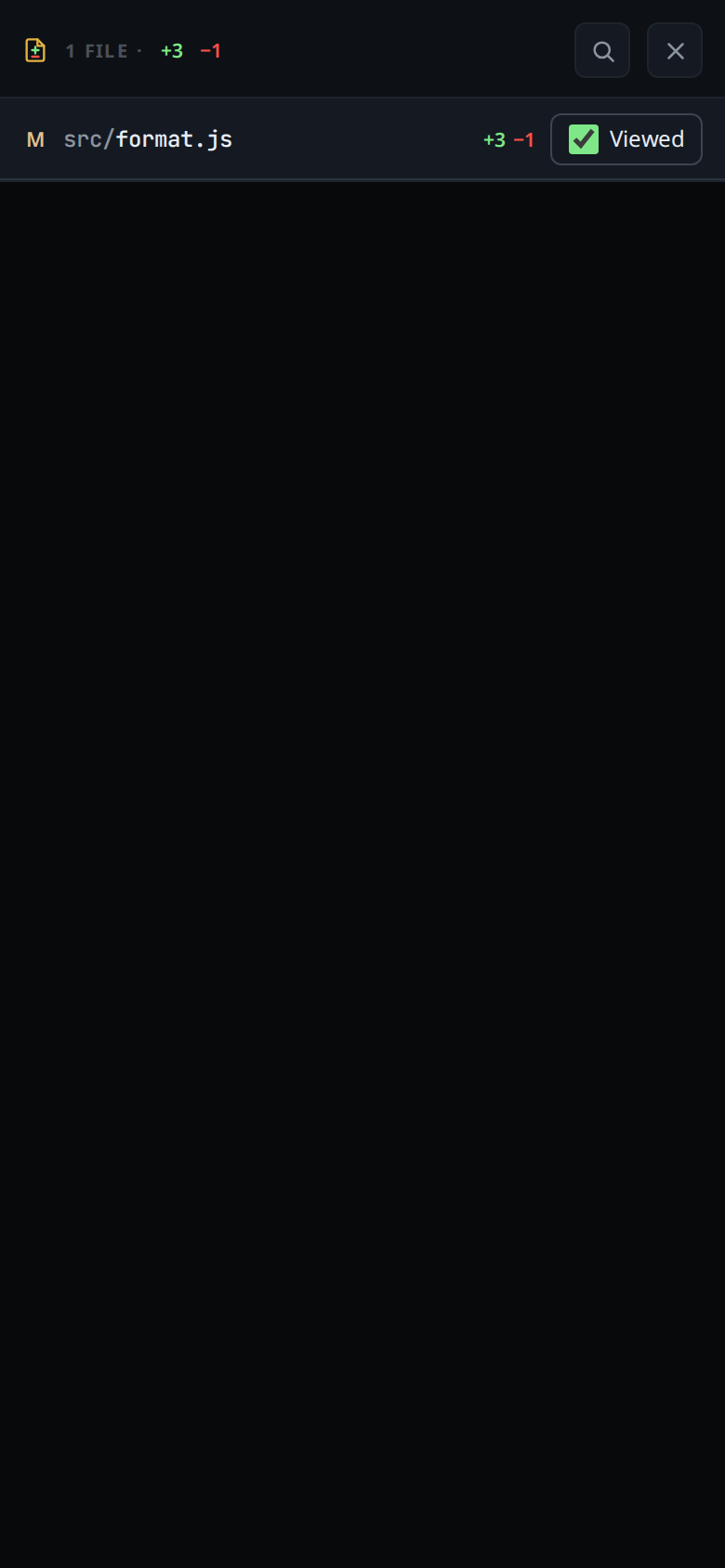
Tick Viewed on a file you have read. Its hunks fold away and its header stays.
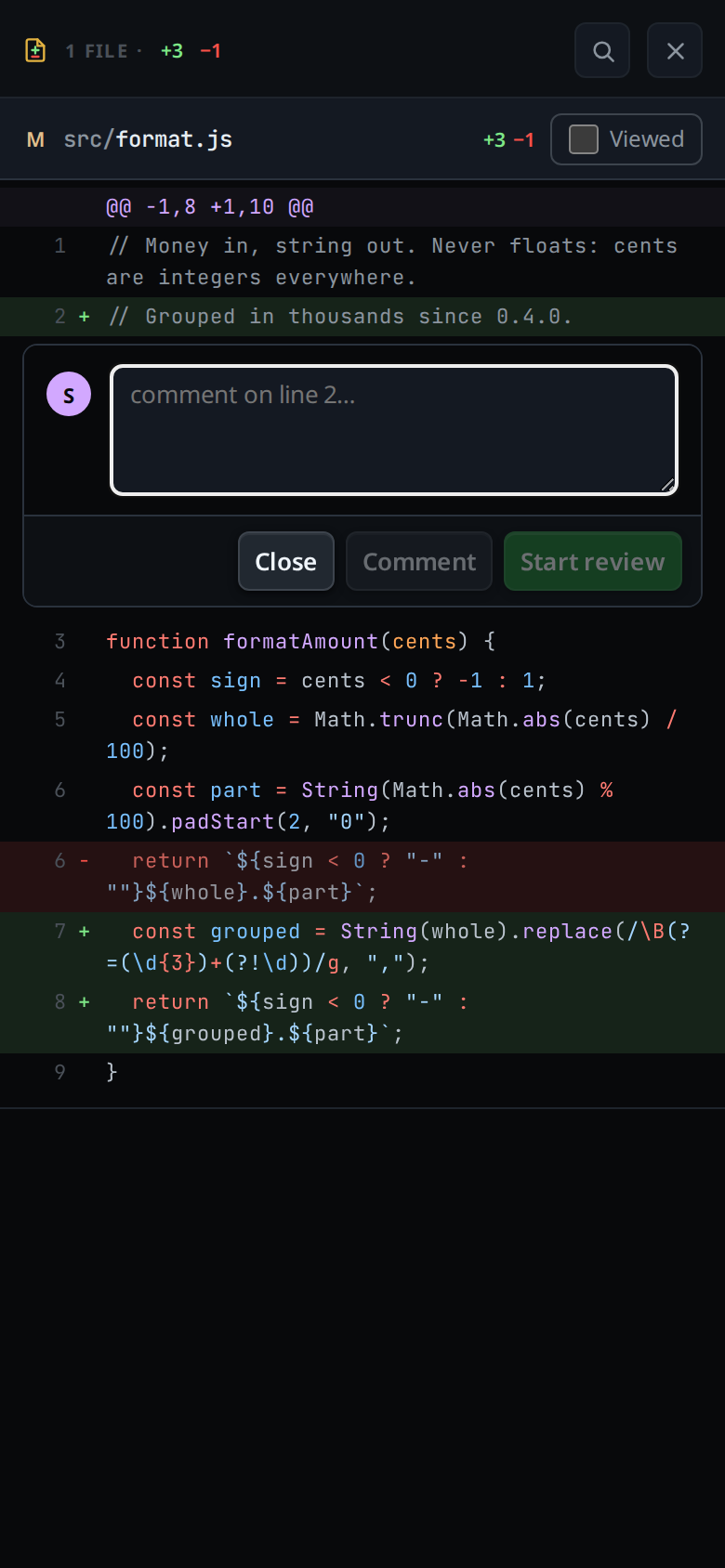
Tap an added or unchanged line to comment on it. The comment box opens under the line, with Comment to send it on its own and Start review or Add to review to gather it with others. While a review is open its bar shows at the top of the sheet.
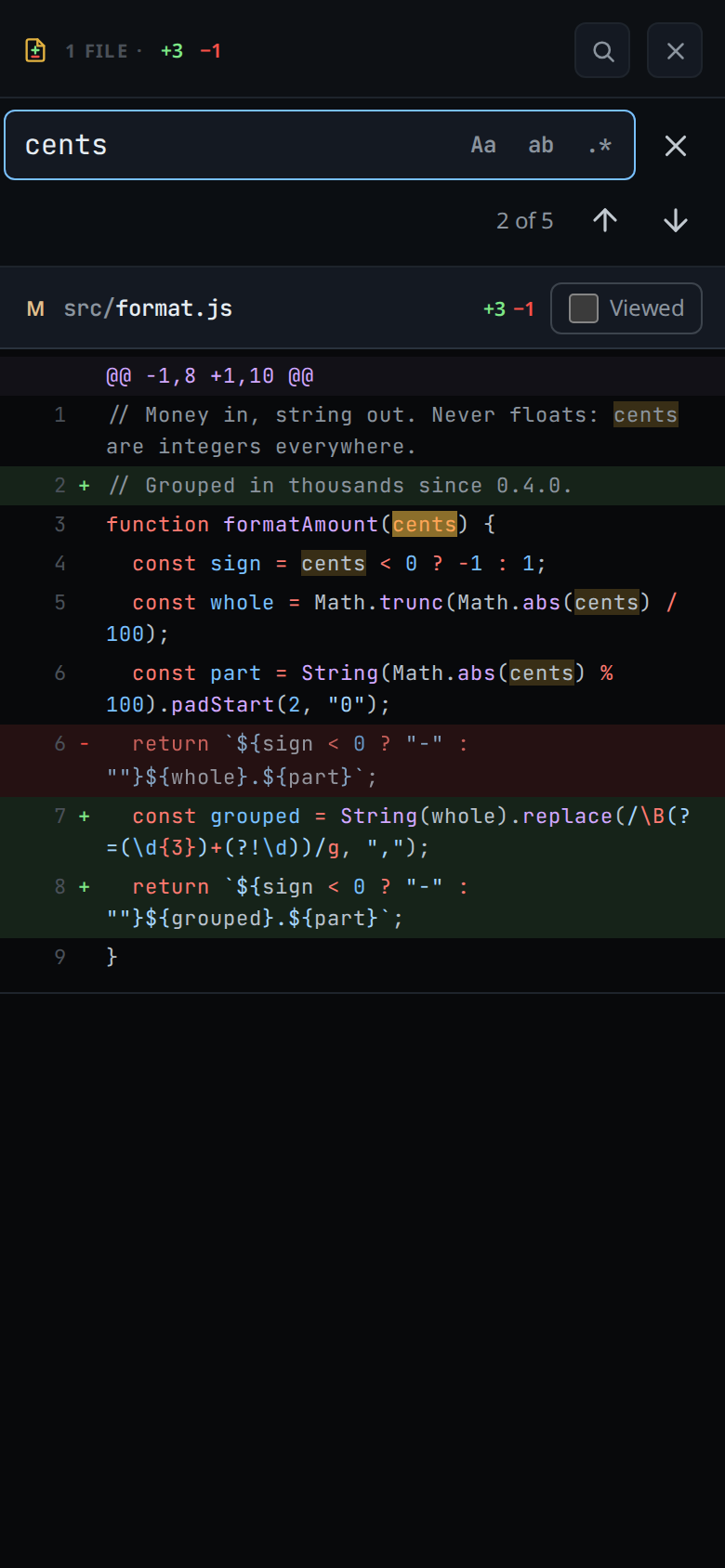
Find text across the diff with the magnifier in the head (
#review-find), or with Ctrl+F (Cmd+F on a Mac). The find bar is the editor's: type in Find, and the count reads1 of 5,? of 5before you step to a match, orNo results. Enter and the down arrow go to the next match, Shift+Enter and the up arrow to the one before. The three buttons in the field are Aa (match case, Alt+C), ab (whole word, Alt+W) and .* (regular expression, Alt+R). Each match is marked, and the one you are on is brighter. Text you have selected in the sheet fills the field when you open it. Escape, the ✕ or back closes the bar and leaves the sheet open.On a phone the bar sits under the head. On a wide window it floats at the top right of the diff.
Close the sheet with
#review-close, or with back.
On a wide window the sheet fills the transcript's column.
What you see
- Added lines green, removed lines red, numbered and coloured for the file's language.
- A binary file is left out of the sheet. A file whose diff the sheet has no
text for reads
too large to show(a proof past its 1 MB cap) orno diff kept. - A file marked Viewed carries a green tick in the list at the top. When every file of a turn is marked, the reply footer carries the tick too; when every file of the session is, the status segment does.
- A comment names the line by its number in the file as it is now.
- Find searches the text of every line shown: added, removed and unchanged. It
skips the
@@hunk headers and the files marked Viewed. It counts up to 1000 matches and then reads1000+.
Limits and known gaps
- Nothing in the sheet changes a file. Viewed is a mark, and a comment is a message to the agent, which owns the files.
- A removed line takes no comment: it is not in the file any more. Neither does a line of a claude edit whose patch carries no line numbers.
- Viewed is kept on this device only, in
localStorageunderv-code-accepted, holding the last 500 ids. It changes nothing the agent can see. An edit made after you marked its file has a new id, so the file is unmarked again. - Opened from a turn, the sheet shows the edits the agent reported, not git. Opened from a proof, it shows git's diff of the branch.
- The sheet closes itself when the turn or proof it shows is no longer in the
view, after a
/clearfor instance. - Find has no replace, since a diff is read only, and it does not search inside a file you marked Viewed. On a wide window the floating bar covers the Viewed box of the file header under it until you close the bar.
- A browser without the CSS highlight API shows the count and scrolls to each match, but marks none.
Related
- turn-changes: the footer and the status segment that open it
- session-changes: the same sheet over every file the tab changed
- proof-of-done: the proof whose diff it shows
- find-in-a-file: the same find bar in the editor
- comment-on-a-line: the comment box a line opens
- review-a-file: gathering comments into one message
- read-the-transcript: the diff card the other entrance sits on