
Rename a tab
Give a tab a name of your own: click its label or folder line in the strip,
pick Rename in a row's ⋯ menu in the tab bar, double-tap or double-click
the row, use the pencil in the Threads sheet, type /rename <name> in
the composer, or press Ctrl+Shift+R (Ctrl+R in the desktop app). The
name shows in the strip, the drawer and the Threads sheet.
Why you would use it
A tab is named after its folder, or in a project after the project, until you say otherwise, so three tabs on one repo read as the same row three times. A name is what tells them apart.
How to use it
From the strip:
- Click or tap the name or folder text of the tab you are already in
(
.labelor.folder). A tab you are not in is picked first; a second click on its name inside half a second is still the pick, not a rename. - Type the name in the field that takes the name's place, then press Enter or tap away. A tap on the folder line opens the same field over the name.

From the tab bar:
- Tap the ⋯ on the tab's row (
.wsmore) and pick Rename (#tab-menu-rename), the first item. Right-clicking a row, or a tab in the strip, opens the same menu; from the strip the field opens on the strip tab. - Type the name in the field that takes the row's width, then press Enter or tap away.
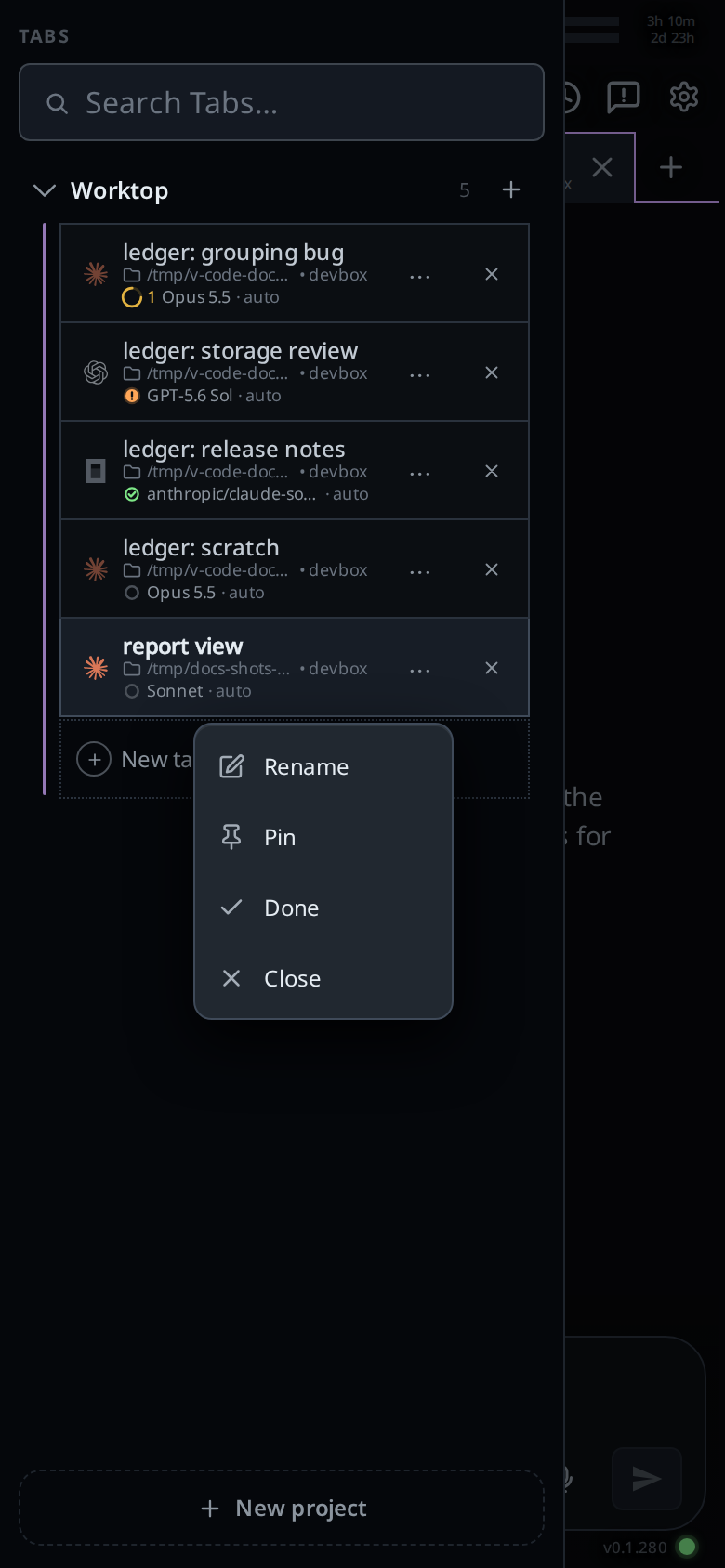
You can also double-click a row, or double-tap it on a phone. On a window 1080px wide or more the first click opens the tab and the second opens the field. On a phone the drawer stays open and the field opens on the row.
From the Threads sheet:
- Open the Threads sheet (
#sessions). - Tap the pencil on the row (
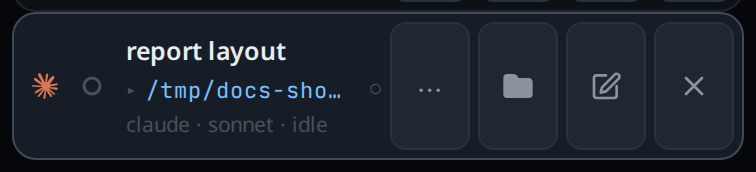
.wsedit, labelled "Rename"). - Type the name in the field that replaces it.
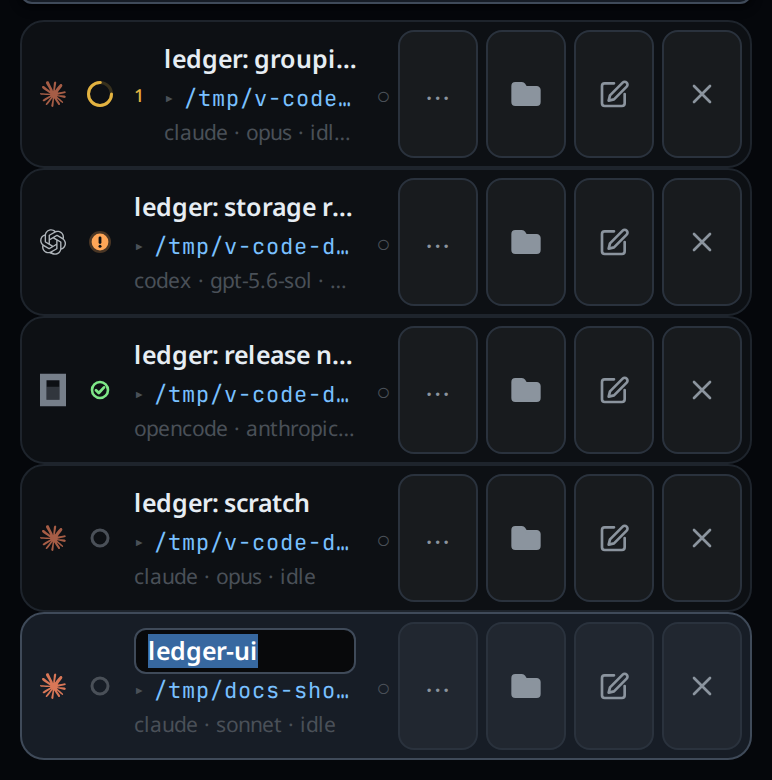
- Press Enter, or tap away, to save. Press Escape to discard.
From the keyboard:
- Press Ctrl+Shift+R (⌘⇧R on a Mac). In the desktop app it is Ctrl+R (⌘R). With the focus on a row in the tab bar or a tab in a strip, it renames that tab. Anywhere else it renames the tab you are in, or in a split window the tab the focused pane shows. The field opens on the tab at the top of the window, since the tab bar on the side is not always open; only a tab of another project, which the top shows no tab for, gets the field on its tab bar row. Change the key in the cog's Shortcuts card, where it is Rename tab.
From the composer:
- Type
/rename my taband send./r my tabworks the same. - On a Claude tab, a bare
/renamewith no name is passed to the Claude CLI, which invents a name; the tab takes whatever name it reports.
On any agent you do not have to do any of this. When you send the first message and the tab still has the name it started with (its folder's, or in a project the project's), VCode asks the tab's own agent for a short name for it. The name arrives a few seconds later, while the agent is still working on the message:
- Claude, Codex and OpenCode each answer a separate short request, made on a fast model next to the one that runs your message.
- Cursor names its own session a few seconds into the first turn, and the tab takes that name in lowercase.
- When OpenCode cannot answer, Claude names the tab instead, if Claude is installed and logged in on the computer. OpenCode's free models refuse the request, so on those the name always comes from Claude.
What you see
The row's name becomes a text field with the current name selected. Saving repaints the strip, the drawer and the sheet at once.
A bare /rename on Codex, OpenCode or Cursor, and a bare /r anywhere, shows the toast
rename: add a name, as in /rename my tab.
A rename to nothing is refused by the server with a tab needs a name, and the
tab keeps the name it had.
Options and settings
| Option | Default | What it changes |
|---|---|---|
/rename <name> |
Sets the name on any agent | |
/r <name> |
The same command | |
| Rename tab key | Mod+Shift+R; Mod+R in the desktop app | Opens the field on the tab you are in. See change-keyboard-shortcuts |
bare /rename |
Claude only | Sent to the Claude CLI, which picks a name |
| automatic name | Every agent, no setting | Named from your first message as it goes in, only while the tab still has the name it started with |
| name length | Trimmed, and cut at 80 characters, however it arrives |
Limits and known gaps
- Tapping away from the field saves rather than discards: on a phone the keyboard's own dismiss button blurs the field, and losing the name to that would be worse. Escape is the way to abandon an edit.
- On a phone a single tap on a tab bar row opens the tab 200 ms after the tap rather than at once, the time a second tap has to arrive.
- A Done row in the tab bar's fold does not rename on a double click, since its click takes it out of Done; its ⋯ menu still has Rename.
- While a name is being edited the tab lists stop repainting, so a change made on another device appears only once the edit finishes.
- In a browser Ctrl+R still reloads the page, so the key takes Shift there, and Ctrl+Shift+R no longer does the browser's hard reload. In the terminal the key stays the shell's, and on the Agent Commander it does nothing.
- Only Claude's CLI has a
/renameof its own. A bare/renameon the other agents names nothing; the automatic name is their only invented one. - An OpenCode tab on a provider that refuses the request, on a computer without a working Claude, is named from its first message instead.
- A Cursor tab's name is Cursor's wording, lowercased, and can run longer than four words. Cursor renames its session again on later turns; the tab keeps the first name.
- The automatic name runs once per thread, on the first message with text. If naming fails or comes back empty, for example while the agent's usage limit is reached, the tab is named from the first line of your message, lowercased and cut at a word to 80 characters. A name you set before it arrives wins. A thread that already sent a message before this existed is never renamed.
- The automatic name renames the tab only. Claude's own session keeps no name,
so
claude --resumein a terminal lists it without one. - A message that merely talks about renaming is not a rename: a bare-only command followed by prose is treated as prose.
Related
- tab-colours: the other way to tell tabs apart
- tab-drawer: the list that shows the renamed title
- threads-sheet: the same edit in the manager
- the-three-agents: what each agent can do
- vendor-slash-commands: what happens to a command VCode does not run itself