
Your own system prompt
Write standing instructions once, and every new Claude, Codex, OpenCode, Devin, Copilot or Muse thread starts with them. VCode's own instructions come first, then yours.
Why you would use it
You tell every agent the same things: the language to answer in, to run the tests before it says a change works, how you like commit messages. Put them in the system prompt and you stop typing them at the start of each thread.
How to use it
- Tap the cog (
#settings-open). - Under System prompt, tap Edit system prompt (
#system-prompt-open). The settings close and the filesystem-prompt.mdopens in the file viewer, ready to type in.

- Write your instructions.
- Tap Save (
#viewer-save), or press Ctrl+S. Then close the viewer.
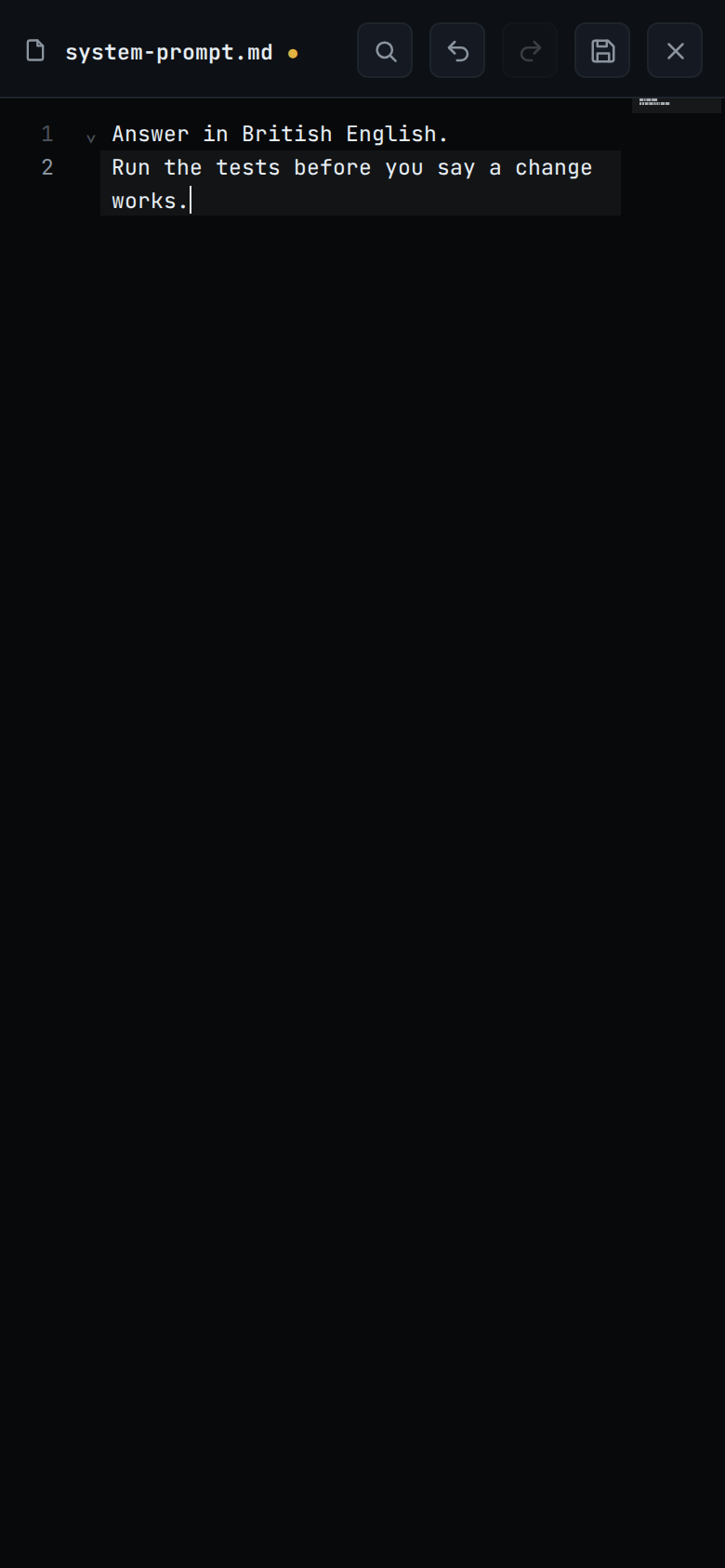
The next thread you start, or the next time a parked thread's agent starts again, gets the new text. A thread already running keeps the prompt it started with.
What you see
Under the group's title, the first line (#system-prompt-hint) says where the
prompt lives, and the second says All harnesses read this prompt before starting.
| Line | Meaning |
|---|---|
Only on this workstation |
This workstation is not linked to a VCode account, or it was removed from the account. The prompt stays here. |
Synced to every workstation on your account |
The account's copy matches this workstation's. |
Waiting to sync |
A change is not on the account yet. It goes when the workstation reaches the site. |
Too long to sync: keep it under 32,000 characters |
The prompt or the settings are too long to send. This workstation still uses the prompt. |
Not synced: <reason> |
The site refused the last change, or sent a copy this workstation does not accept. |
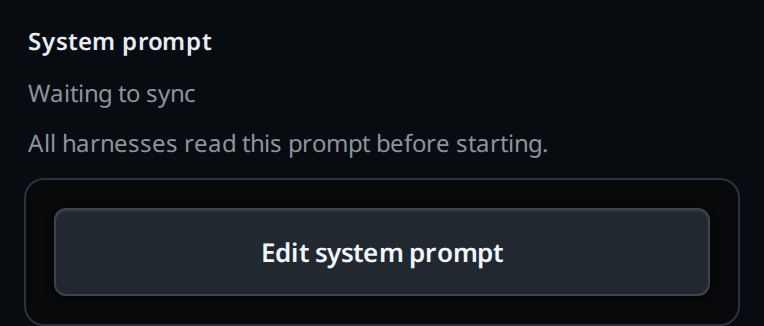
When the site this workstation links through has no settings sync, the first line is blank. The line is read when the settings open. A change that arrives from another workstation while they are open shows the next time you open them.
Options and settings
| Option | Default | What it changes |
|---|---|---|
system-prompt.md |
empty | The text added after VCode's own instructions. Empty, or only spaces and blank lines, adds nothing |
| Length | 32,000 characters at most | A longer file is left out of every thread, and VCode's own instructions go alone |
An agent reads the prompt with v-code settings get and replaces it with
v-code settings set systemPrompt "<text>", on another workstation with
--box (see agent-commands). That writes the file the way
the viewer does, so it syncs like a save from the viewer.
Limits and known gaps
- Claude, Codex, OpenCode, Devin, Copilot and Muse only. Cursor gets no system prompt from VCode.
- The prompt is read when an agent starts, not on every message. A running thread picks up a change only when its agent starts again.
- Over 32,000 characters the whole file is left out, not cut short. So is a file holding a NUL character.
- On a workstation linked to your account the prompt is shared with the account's other workstations: see synced-settings. An edit made outside the viewer, from a terminal or by an agent, applies on this workstation at the next thread. It goes to the account at the next save from the viewer or the settings, or when this workstation next fetches the account's copy; the local edit wins over that copy.
Related
- what-the-agent-is-told: VCode's own instructions, which come first
- synced-settings: how the prompt reaches your other workstations
- edit-a-file: the viewer's editor, Save and the conflict strip
- the-three-agents: which agents take a system prompt
- thread-state-on-disk: the copy opencode reads in each thread's folder
- work-in-worktrees: the worktree paragraph that sits between VCode's block and yours
- devin: how Devin gets these instructions, in its first message
- copilot: how Copilot gets these instructions, in its first message
- muse: how Muse gets these instructions, in its first message