
Have agents work in worktrees
Work on, in the cog's Git group, decides where agents make code changes. With
Worktree, the default, every agent is told to put each task on its own branch in
a git worktree under worktrees/, and to remove the worktree once the branch is
merged. In a folder that is not a git repository it works in place. With Main,
agents are told nothing about it.
Why you would use it
Several tabs work in one repository at once and you want each task kept apart until you merge it. On the explorer's Changes tab each tab's files show under its worktree's heading, and the agent cleans up after itself so the list does not fill with finished branches.
How to use it
Tap the cog (
#settings-open).In the Git group, Work on (
#git-work-on) reads Worktree unless you changed it. Pick a value and the group's status readsSaved.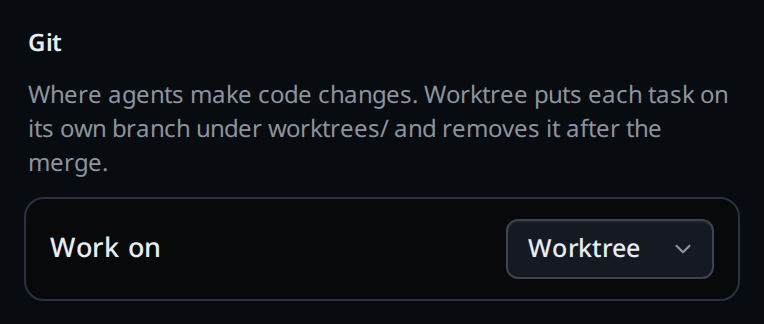
Start a turn. The agent reads the setting each time it starts, so a tab already open picks it up the next time its agent starts.
Pick Main to go back to agents working where they are.
What you see
With Worktree, an agent asked to change code in a git repository:
- makes a worktree with
git worktree add worktrees/<name> -b <branch>from the repository's main checkout, and works there, or works in the worktree it was started in; - adds
worktrees/to the repository's.gitignoreand commits it, the first time, if the repository does not ignore it yet; - after the branch is merged, removes the worktree and deletes the branch, from the main checkout;
- works in place in a folder that is not a git repository.
On the Changes tab each worktree has its own heading, its repository's name, ›
and the worktree's folder name, and its branch.
Options and settings
| Option | Default | What it changes |
|---|---|---|
Work on (#git-work-on) |
Worktree | Worktree adds the worktree instructions to what every agent is told. Synced to every workstation on your account |
Limits and known gaps
- It is an instruction, not a rule VCode enforces: an agent can still edit the main checkout, and you can tell it to in a message.
- The agent removes only the worktrees it made, and never one that still holds uncommitted work. A worktree left behind stays on the Changes tab until you remove it.
- Cursor is given no VCode prompt, so the setting does not reach it.
- A workstation on a release from before this setting refuses to save it.
Related
- session-changes: the tab's files, each worktree under its own heading
- what-the-agent-is-told: the block this text is added to
- system-prompt: your own instructions, which come after it
- projects: a project's folders, every one of whose checkouts the Changes tab reads