
Type to start a message
With a hardware keyboard, start typing anywhere and the character goes into the composer. The box takes the focus on the first key, so there is nothing to click first. Backspace, Delete and Escape go back to it too.
Why you would use it
You pick a pane with a click or with Ctrl+B and an arrow, you read the reply,
and then you answer. Without this the first character of the answer lands on the
page and is lost, and you have to notice that before you can write anything.
How to use it
Select a pane, or click anywhere in the transcript. The box (
#draft) is empty and does not have the focus.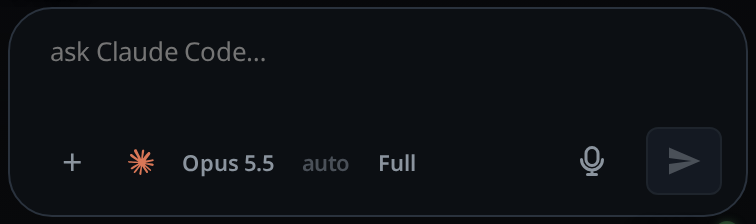
Start typing. The first character moves the focus to the box and is typed there; the rest follow it.
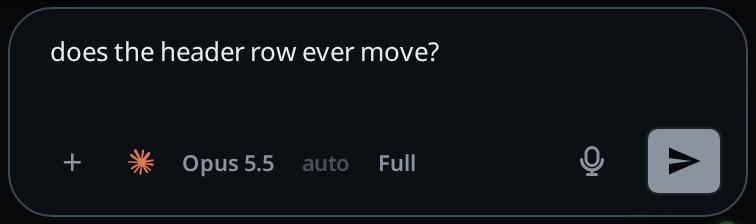
Press Enter to send, as usual.
Press Backspace with the focus away from the box again. The box takes it back and the character before the caret goes, instead of the press being lost. Delete takes the one after it, and Escape moves the focus with nothing to delete.
What you see
The box lights up as it does on a click, and the character appears in it. If the box already held a half-written message, the character lands at the caret where you left it, not at the end.
In Shell mode the composer is hidden and these keys go nowhere. Click the terminal to type into the shell. On a desktop it takes the keyboard when Shell mode opens.
Escape keeps its first two jobs. It closes the top sheet, popup or drawer, and with none open it stops the running turn. The focus moves to the box only when the key did neither.
Options and settings
None. There is nothing to turn on.
Limits and known gaps
- Space is left alone, so it keeps scrolling the transcript. A message never has to start with one.
- A key that types, and Backspace, Delete and Escape. The arrows, Home, End, Page Up and Page Down still select and scroll the page, Tab still moves the focus, and Enter belongs to whatever control holds it.
- Backspace, Delete and Escape are taken bare only. Every chord is a shortcut
somewhere:
Ctrl+Backspacedeletes a word in a field, andAlt+Backspaceis this app's own word delete. - A shortcut is not typing.
Ctrl,AltandCmdchords are left alone, and so is the key afterCtrl+B. Windows AltGr, which arrives as Ctrl+Alt, does type, because it makes a real character. - Nothing happens while a sheet, a popup or a drawer is open, while the focus is already in a text field, or on Worktop's new-thread page, where the box is hidden. A project's page past the end shows the box, so typing there starts the new tab's first message. The file column docked on a wide frame is not a drawer for this: a folder row in it can hold the focus, and typing there still starts a message.
- While an input method is composing, the key stays with it.
- On a phone with no keyboard attached there is no key to catch, so this is a desktop feature.
- On a wide frame with a mouse or trackpad the box usually has the focus already:
opening a tab or picking one hands it the caret
(switch-tabs). This is what catches the keys the
rest of the time: a click in the transcript, a pane selected with
Ctrl+B, a page just reloaded.
Related
- send-a-message: the box this fills
- hold-backspace-to-delete-words: the other keyboard rule in the same file
- stop-a-running-turn: Escape's first job, ahead of this one
- slash-menu: typing
/first opens it, this way too - drafts-kept-per-tab: the caret this carries on from
- wide-layout: the panes a keyboard selects
- switch-tabs: picking a tab, which gives the box the caret outright