
Swipe between tabs
Swipe the transcript sideways to move to the next or previous tab of the active project, in strip order. Past either end of a project you land on an empty tab, ready for its first message. Nothing is made on your computer until you send it. In Worktop you land on a new-thread page.
Why you would use it
One thumb, no aiming. On a phone the tab strip is small and the transcript is the whole screen, so a sideways drag is the cheapest way to page between threads.
How to use it
- Put a finger on the transcript, away from the left and right edges, and drag sideways.
- Drag left to bring in the tab to the right; drag right for the tab to the left.
- Release past about 70 px to commit. A quick flick commits from a shorter distance. A slow release short of 70 px springs back.
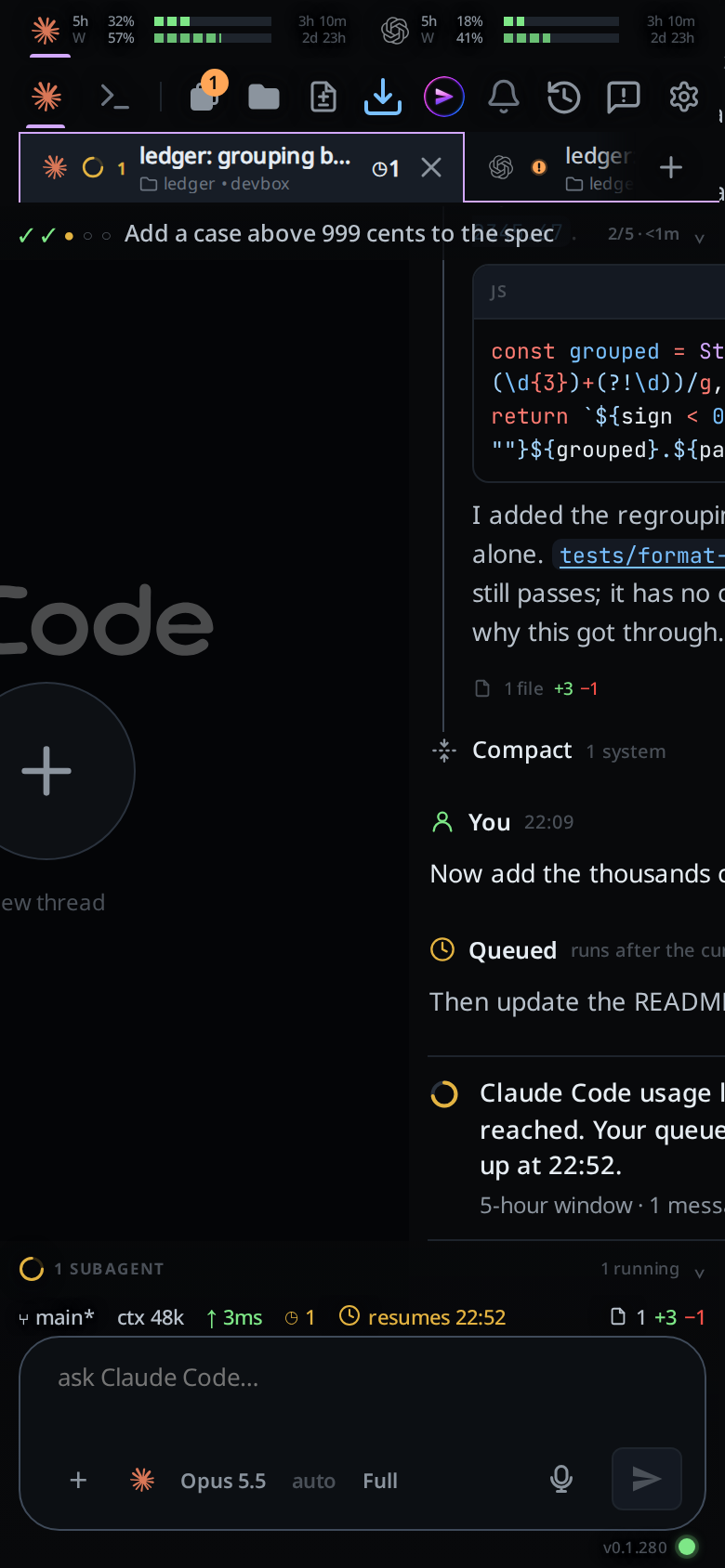 4. From the last tab, one more swipe left lands on the page past the end
(
4. From the last tab, one more swipe left lands on the page past the end
(#endpage). From the first tab, one more swipe right does the same.
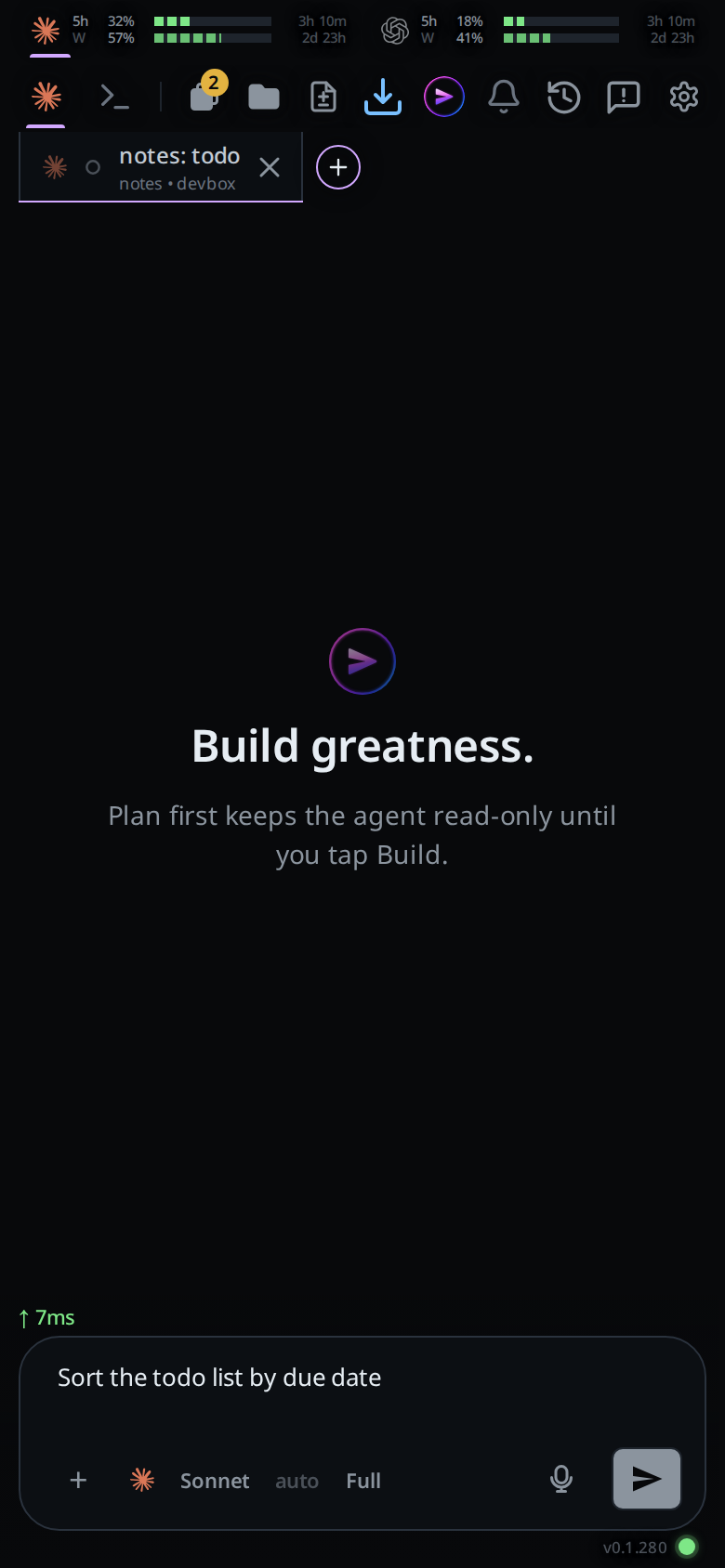
- In a project the page is an empty tab: a welcome line over the message box. The agent, model, effort and level keys in the box are the new tab's. Change any of them, attach files, type, then send. The send makes the tab with those settings and sends your message into it. Your words stay in the box until the tab exists, then show in the new tab while its files upload. A tab you reached past the last tab goes at the end of the strip; one you reached past the first tab goes in front. Swipe away without sending and no tab is made. Your words wait on this device for when you come back, as a tab's do. The picks and attachments wait until the page reloads.
- In Worktop the page shows a plus (
#endpage-plus). Tap anywhere on it and the new-thread card opens.
 5. Swipe back the way you came to return to the tab you left.
What you see
The transcript follows your finger, and the next page comes in beside it from the moment the drag turns sideways: the neighbour tab's transcript, scrolled to its end, or the new-thread page. It shows what this device already has of that tab; a tab it has nothing saved for comes in as an empty page. The selected tab's fill and thin coloured top and side edges in the strip move with your finger, part way between the two tabs as far as you have dragged across the screen. Its bottom stays open while the shared rail remains under the other tabs. The strip scrolls along with the selection towards where it centres the next tab. With no tab on that side the transcript drags at a third of the distance, the usual sign that there is nothing there.
On a commit the phone gives one short vibration and both pages finish their way over at the speed your finger was going, slowing as they arrive. The page you pulled in is the page you land on: once the tab has opened, its live transcript takes the place of the one you saw, at the same spot, and nothing moves. The strip finishes its scroll with the fill, so the fill never runs one way while the strip carries it the other. A release that springs back slides both pages, the fill and the strip back to where they started.
With reduced motion turned on in your system settings, the pages still follow your finger, but the finish and the spring back happen at once and the strip's fill does not move with you.
In a project the page past the end looks like a new tab: one welcome line in the middle, and the message box at the bottom with the new tab's agent, model, effort and level. It is also what you see in a project with no tabs.
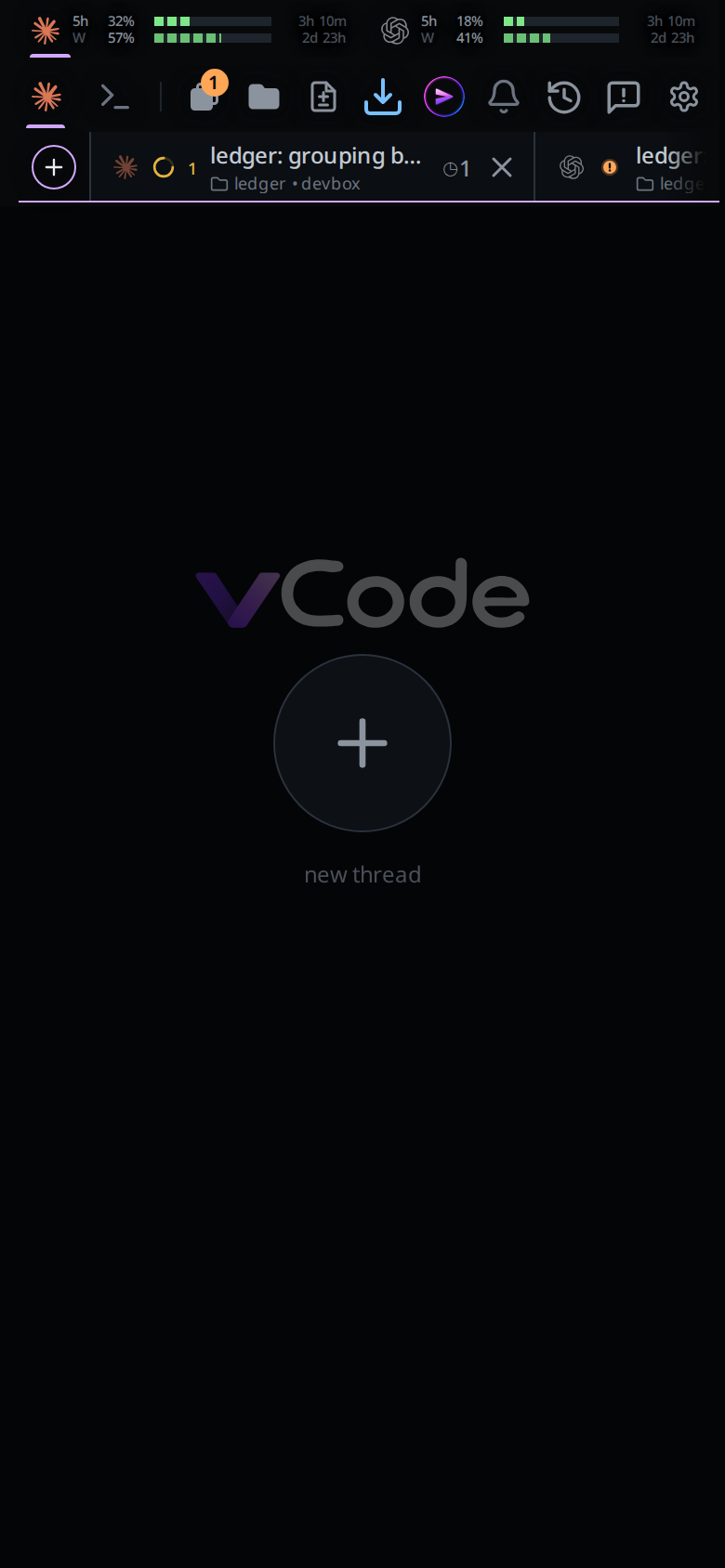
In Worktop the page shows the VCode logo, a large plus and the words
new thread, on a background a shade darker than a transcript's. It is also
what you see when no tab is selected at all.
While you are on the page, the strip's plus (#new-tab) is selected instead of
the tab you came from: a plus in a ring. On the left-hand page it moves in front
of the first tab and the strip scrolls to its start; on the right-hand page it
stays after the last tab and the strip scrolls to its end. The ring is the colour the new tab will get: with colour new tabs
on in the settings, the colour after the one on the tab at that end; with it off,
the plain violet. Swipe back and the tab you left is selected again.
The selection follows your finger there and back. On its way to the plus the selected tab narrows and fades as the ring fades in, and on the way back the ring fades out as the tab's selection returns. Toward the left-hand page the plus grows in front of the first tab as you swipe, and the strip slides over to make room.
Limits and known gaps
- For now some of the app's transitions are off: sheets and menus appear without rising in, and switches and toasts change at once. The page slide, the strip's glide, spinners and the working dot all move. The rest comes back one at a time.
- The shared rail and selection's top and side edges take the new tab's colour as it sets off rather than blending into it on the way.
- The ends are ends. There is no wrap from the last tab to the first.
- A swipe never leaves the project. To reach another project's tabs, use the tab bar.
- From the page past the end the only way on is back to the tab it was reached from; swiping further out does nothing.
- On the empty tab past the end, a
!line and a VCode command that acts on a tab, such as/clear, answersend a first message to start this tab. The model, effort and agent commands change the new tab's settings. A skill and/vcode-report, with its screenshots, go as the first message. - The empty tab makes its tab only when the computer answers. Offline, the send shows the error and leaves your words in the box. It does not queue.
- A second send while the first is still making the tab answers
the tab is still startingand leaves your words in the box. - Escape on the empty tab stops nothing. The tab you swiped from keeps working.
- A model or agent that is logged out is not caught before the send. The computer refuses the new tab, and the error shows.
- A swipe starts on the shell too. Each tab slides in in its own mode, so a tab you put in Shell comes in as the shell this screen last showed for it, until its live terminal takes over. The new-thread page is never in Shell.
- A swipe that starts in the left or right tenth of the screen belongs to a drawer instead: the tab list on the left, the file explorer on the right.
- A swipe that starts inside anything that scrolls sideways, such as a wide code block, pans that instead.
- The gesture locks to an axis after 9 px: drift more than 9 px down the screen first and the touch becomes a scroll for good.
- Touch only. There is no pointer or keyboard equivalent; use the strip, the drawer or the sheet.
Related
- switch-tabs: the strip
- tab-drawer: the panel on the left edge
- start-a-thread: the other ways to open a tab
- drafts-kept-per-tab: words left in a box wait for you, the empty tab's too
- back-button: the way back off the end page
- file-explorer: the gesture on the other edge
- shell-mode: the swipe in Shell mode
- read-the-transcript: what the swipe moves across