
Close and reopen a tab
Closing a tab stops its agent and takes it out of the strip. The conversation stays on disk, and Recently closed brings it back. A tab with nothing in it closes without asking and is deleted, so it never shows in Recently closed.
Why you would use it
You finish a piece of work and want the strip back to the tabs you are actually using, without losing what was said. Later you want that conversation back.
How to use it
To close:
- Tap the cross (
.tabclose) on a tab. On a phone every tab shows one. On the tab you are in, a tap anywhere from the cross to the tab's right edge closes it; on the others only the cross itself does, so a tap near the end of a tab still selects it. A tap on the cross within half a second of selecting the tab is ignored on a phone, so a double tap selects a tab without closing it. Or - tap the cross on the row (
.wsclose) in the tab drawer (#drawer) or in the Threads sheet (#sessions), or - on a window at least 760px wide, every tab shows its cross (
.tabclose); point at one to brighten the glyph, or select a tab and pressDeleteorBackspace, or - right-click a tab, or its row in the Tabs column, and choose Close in the
menu that opens at the pointer (
#tab-menu), under Pin and Done (pin-snooze-done). The⋯on a row in the tab bar or the Threads sheet opens the same menu. This reaches a tab whose cross is out of sight, such as a long tab in a narrow split pane. On a running tab the item reads Close and stop the turn; with Ask before closing a tab off it closes the tab at once, without the second press. Escape or a click elsewhere shuts the menu. A file tab's menu has Close too, or - press Ctrl+W (⌘W on a Mac) for the tab you are in, at any width. On a
running tab with Ask before closing a tab off, the first press shows
Running. Ctrl+W again within 3s stops the turn and closes the tab, and a second press within three seconds closes it. With a sheet, a popup or a drawer open, Ctrl+W closes that instead and the tab stays; see back-button. On an empty split pane it closes the pane; see split-panes, or - type
/exitin the tab and send./quitis the same command.


Each close asks first. A popup (#confirm) reads Close this tab? and
Tab '<name>' can be resumed later from the ⟲ button., where ⟲ is the clock
icon of Recently closed (#recent-open), drawn inline. On a tab with a turn
in flight it reads Tab '<name>' is working, and its turn stops. It can be resumed later from the ⟲ button. Tap Close (#confirm-go, on the left), or press Enter or Space (the popup opens with Close focused), to close the
tab. Cancel (#confirm-cancel), the cross at its top right (#confirm-x),
Escape, the back button or a tap outside it keeps the tab. Tick Do not ask
again (#confirm-tick-box) before Close to stop the popup; this turns off
Ask before closing a tab in Settings.
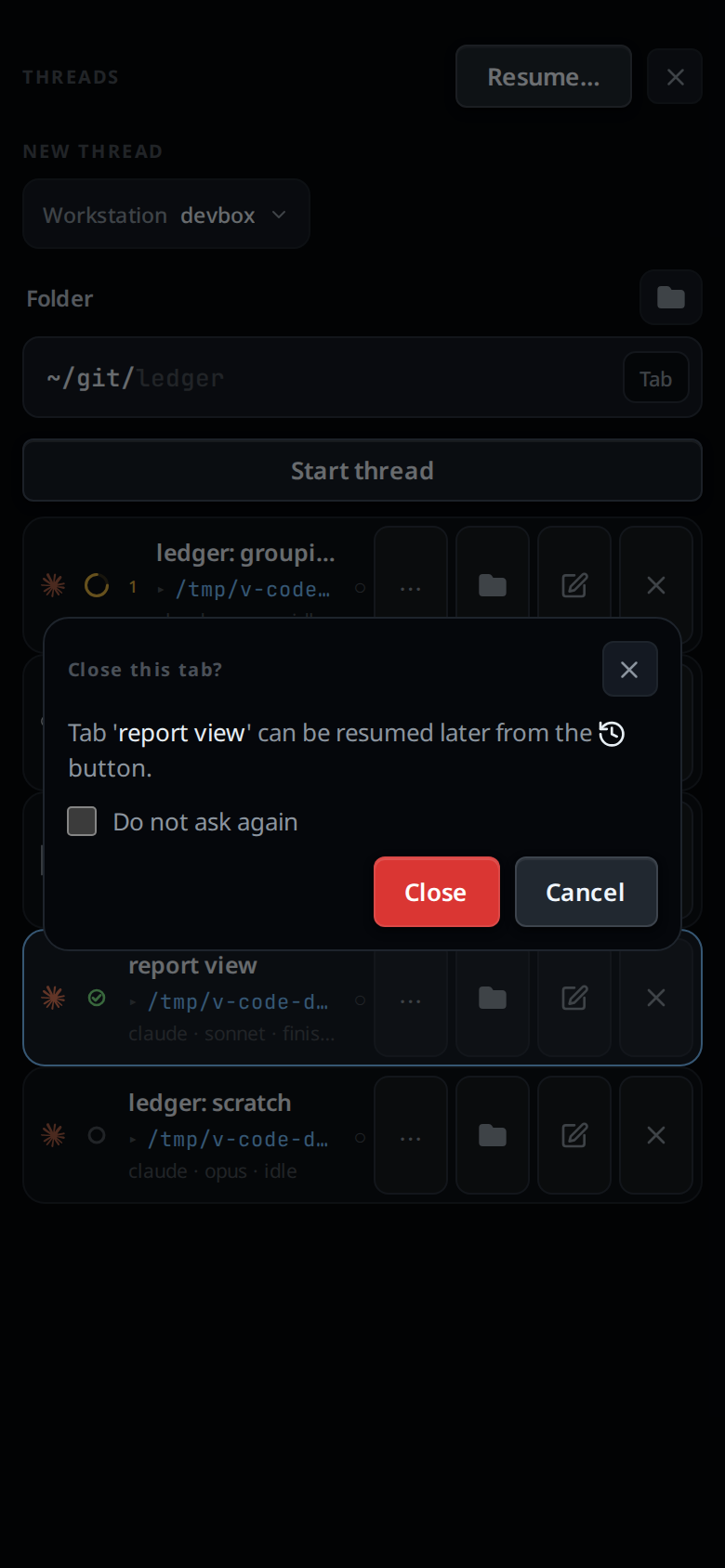
With Ask before closing a tab off, a tab closes on the first press. A tab
with a turn in flight, or with background agents still running, then asks
twice. The first press turns its cross red and holds it up for three seconds;
its tooltip reads Close <name>? The running turn stops. A second press on the
same tab closes it. Anything else (three seconds passing, or a press on another
tab) puts the cross back.
/exit and an agent's v-code tab close never ask.
An empty tab never asks either: no message sent, no reply, no tool card, plan
or side question, nothing queued and no turn running. A system row, such as a
model change, does not count. Closing one from the app, by any of the ways
above or /exit, deletes it instead of keeping it, so it does not appear in
Recently closed. An agent's v-code tab close keeps an empty tab like any
other.
To reopen:
- Tap the history icon (
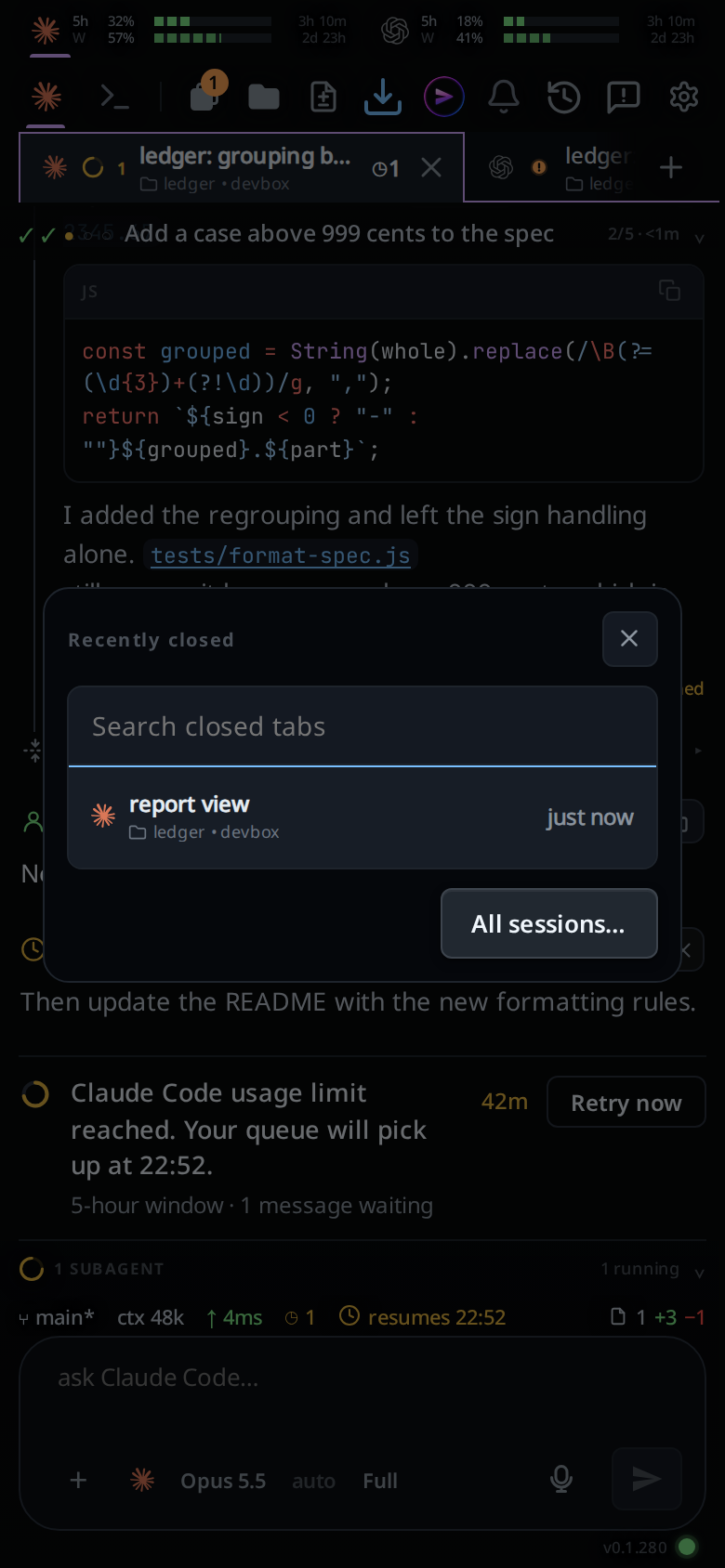
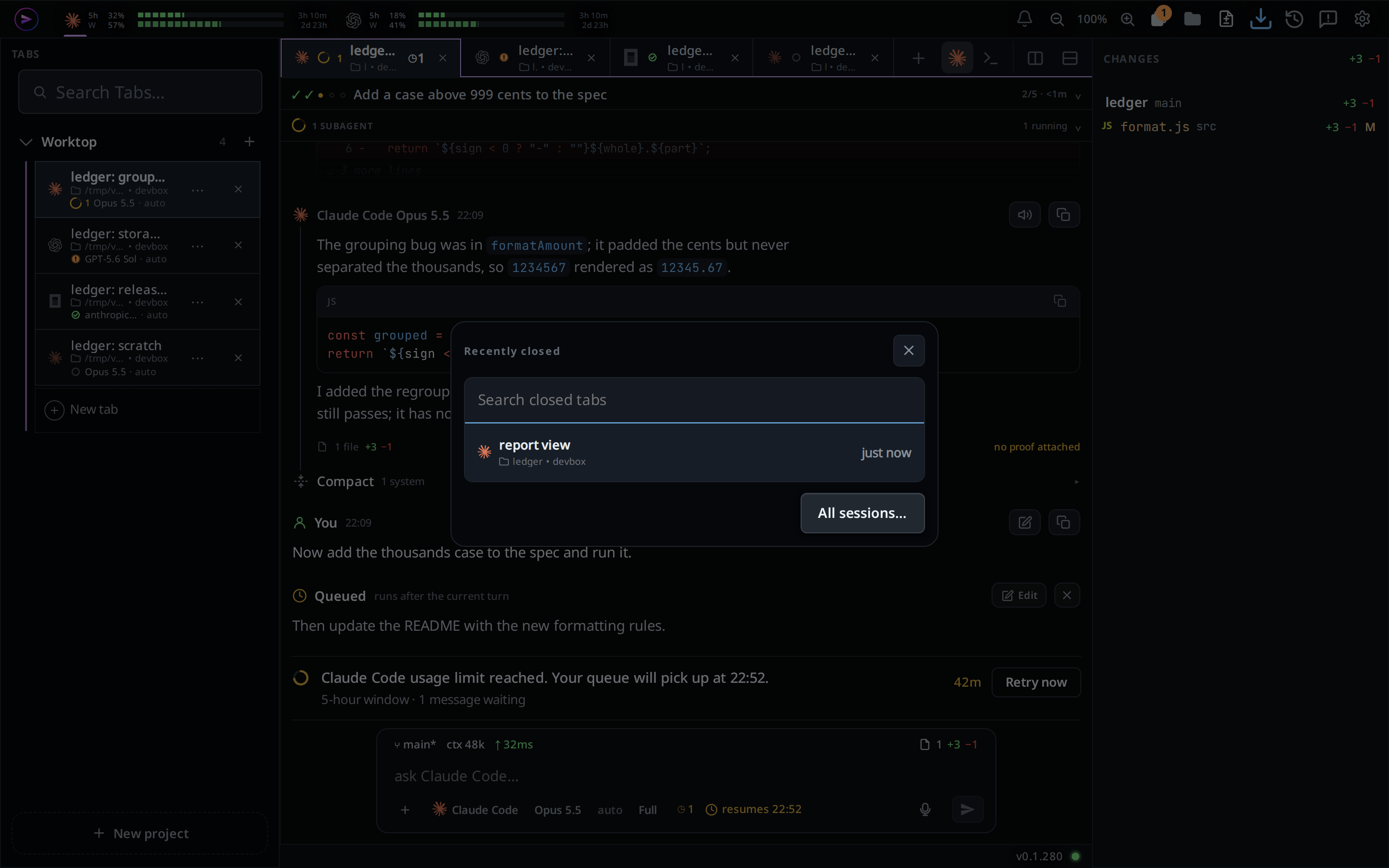
#recent-open) in the top bar, left of the report button. Recently closed (#closed-pop) opens in the middle of the screen: a search box (#closed-q,Search closed tabs) with your closed tabs listed under it, newest first, from every box on your account. - Type to narrow the list. Each word must appear in the tab's name, its folder or its box.
- Tap a tab, or move to it with the arrow keys and press Enter. It comes back with its whole log, in the project it was started in, and you land on it. When that project has been removed, the tab comes back in Worktop.
Ctrl+Shift+T (⌘⇧T on a Mac) reopens the newest closed tab without the popup,
in the installed app and the desktop app.
With nothing closed it says No closed tabs. A browser tab keeps the key for
itself.
All sessions… (#closed-all) opens the
resume screen, which
finds closed tabs too, with every terminal session on the box. Ctrl+O (⌘O on a
Mac) and /resume open it directly.
What you see
Closing takes the tab out of the strip at once: it folds away where it stood and the tabs beside it close the gap. Closing the tab you are in moves you to another tab of the same project, and the selection slides over to it. With none left in the project, you land on its end page:
- From the strip's cross, a
Delete/Backspacepress, or the tab drawer's cross, its neighbour takes over: the tab on its left, or at the left end the one on its right. - From
/exitit is the tab to the left. At the left end, the tab to the right takes over; when it is the project's only tab, a new tab like this one (same agent, folder, model and effort, in the same project) is opened instead, at the end of the project's tabs (start-a-thread). - From a row in the Threads sheet, which says nothing about where to go, the project's first tab is selected.
- From another device, an agent's
v-code tab closeor the box itself, while this device shows the tab: the tab leaves the strip and its transcript goes with it, and its neighbour takes over as from the strip's cross. An agent that closes its own tab finishes its reply first.
In Recently closed each tab is drawn as it was in the strip: the agent's
mark, the tab's name, and its folder or project with its box. In place of the
cross it shows how long ago it was closed (just now, 5m ago, 2h ago,
3d ago). The first row is picked; with no match the list reads No closed tab matches. Escape, the back button, the cross (#closed-pop-x) or a tap outside
it closes the popup.
Options and settings
| Option | Default | What it changes |
|---|---|---|
Ask before closing a tab (#tabs-confirm-close, Settings, Tabs) |
On | The popup before each close. Off: a tab closes on the first press, and a running tab asks twice |
/exit, /quit |
Closes the tab you are in |
Limits and known gaps
- Closing is reversible and never destroys a conversation: the log is untouched on disk. An empty tab is the exception: it has no conversation, and its close deletes it.
- The box decides whether a tab is empty when the close arrives. A tab you sent a message in a moment before is closed and kept, even when the app had not caught up and closed it without asking.
- The app judges from the tab's list row, which has no transcript. A tab you
only ran a
!line in has no prompt yet, so it closes without asking, but the box finds the command's card and keeps it in Recently closed. - A close made while the box is offline is kept and sent later as a plain close, so an empty tab closed then goes to Recently closed.
- A closed tab keeps its place in the order, so reopening puts it back where it was.
- The app has no Delete for a closed tab at the moment. Closed tabs stay on disk with their attachments, and there is no expiry.
- Recently closed lists every box on your account; a box that does not answer is left out. The resume screen searches the box of the active project only.
- The Agent Commander is not listed in Recently closed or on the resume screen. The VCode icon in the top bar reopens the Agent Commander.
- The composer draft you had in that tab is forgotten on this device when the tab is closed or deleted. See drafts-kept-per-tab.
Related
- navigation-and-commands: every gesture and key, phone and desktop
- resume-a-session-from-disk: the screen that finds closed tabs
- threads-sheet: the Resume… button
- tab-drawer: the other place with a close button
- projects: a project stays when its last tab closes
- switch-tabs: the strip the cross lives on
- wide-layout: where the cross appears
- new-tab-command:
/new, the opposite of/exit - reorder-tabs: why reopening puts the tab back where it was
- drafts-kept-per-tab: the draft a close forgets
- thread-state-on-disk: where a closed tab's log stays
- open-an-attachment: the attachments kept with it
- pin-snooze-done: Done, the step before Close, which keeps the agent running